# Custom Properties
## Why Would You Use Custom Properties on Datasets?
Custom properties to datasets can help to provide additional information about the data that is not readily available in the standard metadata fields. Custom properties can be used to describe specific attributes of the data, such as the units of measurement used, the date range covered, or the geographical region the data pertains to. This can be particularly helpful when working with large and complex datasets, where additional context can help to ensure that the data is being used correctly and effectively.
DataHub models custom properties of a Dataset as a map of key-value pairs of strings.
Custom properties can also be used to enable advanced search and discovery capabilities, by allowing users to filter and sort datasets based on specific attributes. This can help users to quickly find and access the data they need, without having to manually review large numbers of datasets.
### Goal Of This Guide
This guide will show you how to add, remove or replace custom properties on a dataset `fct_users_deleted`. Here's what each operation means:
- Add: Add custom properties to a dataset without affecting existing properties
- Remove: Removing specific properties from the dataset without affecting other properties
- Replace: Completely replacing the entire property map without affecting other fields that are located in the same aspect. e.g. `DatasetProperties` aspect contains `customProperties` as well as other fields like `name` and `description`.
## Prerequisites
For this tutorial, you need to deploy DataHub Quickstart and ingest sample data.
For detailed information, please refer to [DataHub Quickstart Guide](/docs/quickstart.md).
:::note
Before adding custom properties, you need to ensure the target dataset is already present in your DataHub instance.
If you attempt to manipulate entities that do not exist, your operation will fail.
In this guide, we will be using data from sample ingestion.
:::
In this example, we will add some custom properties `cluster_name` and `retention_time` to the dataset `fct_users_deleted`.
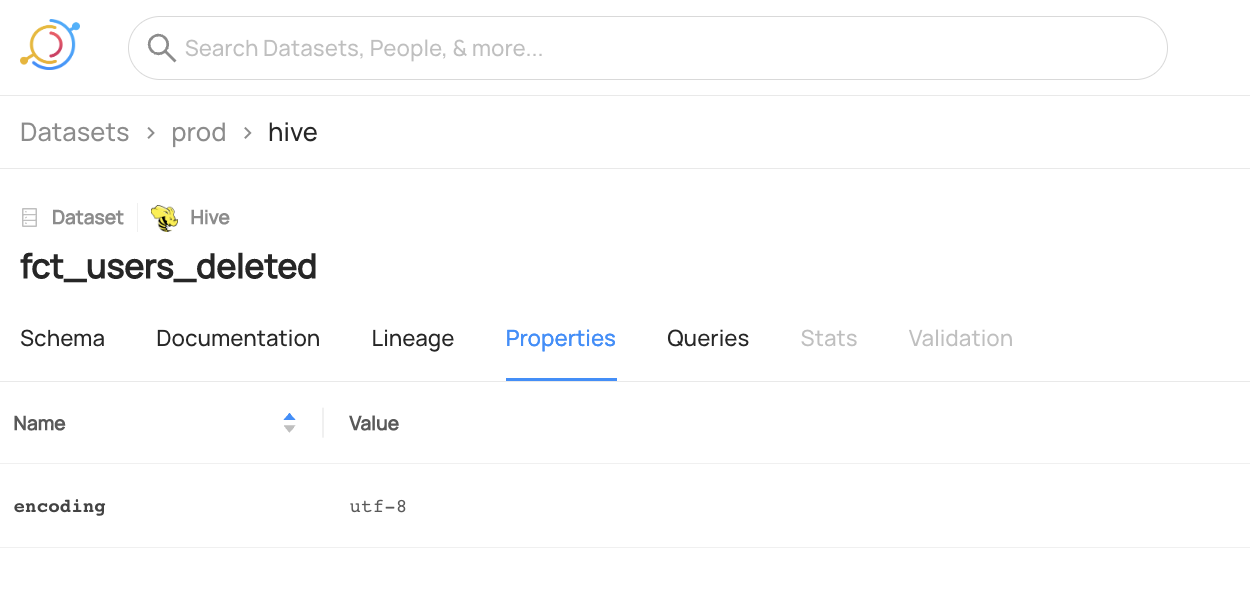
After you have ingested sample data, the dataset `fct_users_deleted` should have a custom properties section with `encoding` set to `utf-8`.
```shell
datahub get --urn "urn:li:dataset:(urn:li:dataPlatform:hive,fct_users_deleted,PROD)" --aspect datasetProperties
{
"datasetProperties": {
"customProperties": {
"encoding": "utf-8"
},
"description": "table containing all the users deleted on a single day",
"tags": []
}
}
```
## Add Custom Properties programmatically
The following code adds custom properties `cluster_name` and `retention_time` to a dataset named `fct_users_deleted` without affecting existing properties.
#### GraphQL
> 🚫 Adding Custom Properties on Dataset via GraphQL is currently not supported.
> Please check out [API feature comparison table](/docs/api/datahub-apis.md#datahub-api-comparison) for more information,
#### Java
```java
# Inlined from /metadata-integration/java/examples/src/main/java/io/datahubproject/examples/DatasetCustomPropertiesAdd.java
package io.datahubproject.examples;
import com.linkedin.common.urn.UrnUtils;
import com.linkedin.metadata.aspect.patch.builder.DatasetPropertiesPatchBuilder;
import com.linkedin.mxe.MetadataChangeProposal;
import datahub.client.MetadataWriteResponse;
import datahub.client.rest.RestEmitter;
import java.io.IOException;
import java.util.concurrent.ExecutionException;
import java.util.concurrent.Future;
import lombok.extern.slf4j.Slf4j;
@Slf4j
class DatasetCustomPropertiesAdd {
private DatasetCustomPropertiesAdd() {}
/**
* Adds properties to an existing custom properties aspect without affecting any existing
* properties
*
* @param args
* @throws IOException
* @throws ExecutionException
* @throws InterruptedException
*/
public static void main(String[] args)
throws IOException, ExecutionException, InterruptedException {
MetadataChangeProposal datasetPropertiesProposal =
new DatasetPropertiesPatchBuilder()
.urn(UrnUtils.toDatasetUrn("hive", "fct_users_deleted", "PROD"))
.addCustomProperty("cluster_name", "datahubproject.acryl.io")
.addCustomProperty("retention_time", "2 years")
.build();
String token = "";
RestEmitter emitter = RestEmitter.create(b -> b.server("http://localhost:8080").token(token));
try {
Future response = emitter.emit(datasetPropertiesProposal);
System.out.println(response.get().getResponseContent());
} catch (Exception e) {
log.error("Failed to emit metadata to DataHub", e);
throw e;
} finally {
emitter.close();
}
}
}
```
#### Python
```python
# Inlined from /metadata-ingestion/examples/library/dataset_add_custom_properties_patch.py
from datahub.emitter.mce_builder import make_dataset_urn
from datahub.ingestion.graph.client import DataHubGraph, DataHubGraphConfig
from datahub.specific.dataset import DatasetPatchBuilder
# Create DataHub Client
datahub_client = DataHubGraph(DataHubGraphConfig(server="http://localhost:8080"))
# Create Dataset URN
dataset_urn = make_dataset_urn(platform="hive", name="fct_users_created", env="PROD")
# Create Dataset Patch to Add Custom Properties
patch_builder = DatasetPatchBuilder(dataset_urn)
patch_builder.add_custom_property("cluster_name", "datahubproject.acryl.io")
patch_builder.add_custom_property("retention_time", "2 years")
patch_mcps = patch_builder.build()
# Emit Dataset Patch
for patch_mcp in patch_mcps:
datahub_client.emit(patch_mcp)
```
### Expected Outcome of Adding Custom Properties
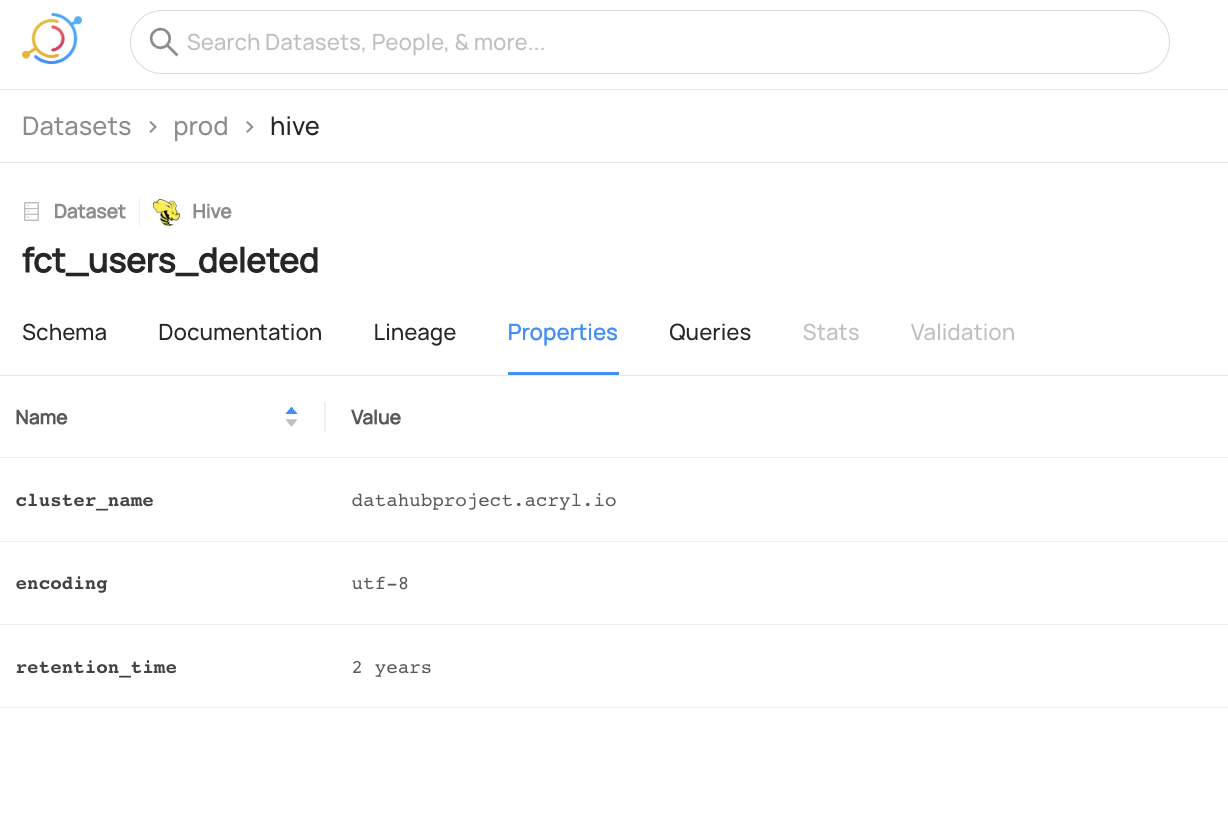
You can now see the two new properties are added to `fct_users_deleted` and the previous property `encoding` is unchanged.
We can also verify this operation by programmatically checking the `datasetProperties` aspect after running this code using the `datahub` cli.
```shell
datahub get --urn "urn:li:dataset:(urn:li:dataPlatform:hive,fct_users_deleted,PROD)" --aspect datasetProperties
{
"datasetProperties": {
"customProperties": {
"encoding": "utf-8",
"cluster_name": "datahubproject.acryl.io",
"retention_time": "2 years"
},
"description": "table containing all the users deleted on a single day",
"tags": []
}
}
```
## Add and Remove Custom Properties programmatically
The following code shows you how can add and remove custom properties in the same call. In the following code, we add custom property `cluster_name` and remove property `retention_time` from a dataset named `fct_users_deleted` without affecting existing properties.
#### GraphQL
> 🚫 Adding and Removing Custom Properties on Dataset via GraphQL is currently not supported.
> Please check out [API feature comparison table](/docs/api/datahub-apis.md#datahub-api-comparison) for more information,
#### Java
```java
# Inlined from /metadata-integration/java/examples/src/main/java/io/datahubproject/examples/DatasetCustomPropertiesAddRemove.java
package io.datahubproject.examples;
import com.linkedin.common.urn.UrnUtils;
import com.linkedin.metadata.aspect.patch.builder.DatasetPropertiesPatchBuilder;
import com.linkedin.mxe.MetadataChangeProposal;
import datahub.client.MetadataWriteResponse;
import datahub.client.rest.RestEmitter;
import java.io.IOException;
import java.util.concurrent.ExecutionException;
import java.util.concurrent.Future;
import lombok.extern.slf4j.Slf4j;
@Slf4j
class DatasetCustomPropertiesAddRemove {
private DatasetCustomPropertiesAddRemove() {}
/**
* Applies Add and Remove property operations on an existing custom properties aspect without
* affecting any other properties
*
* @param args
* @throws IOException
* @throws ExecutionException
* @throws InterruptedException
*/
public static void main(String[] args)
throws IOException, ExecutionException, InterruptedException {
MetadataChangeProposal datasetPropertiesProposal =
new DatasetPropertiesPatchBuilder()
.urn(UrnUtils.toDatasetUrn("hive", "fct_users_deleted", "PROD"))
.addCustomProperty("cluster_name", "datahubproject.acryl.io")
.removeCustomProperty("retention_time")
.build();
String token = "";
RestEmitter emitter = RestEmitter.create(b -> b.server("http://localhost:8080").token(token));
try {
Future response = emitter.emit(datasetPropertiesProposal);
System.out.println(response.get().getResponseContent());
} catch (Exception e) {
log.error("Failed to emit metadata to DataHub", e);
throw e;
} finally {
emitter.close();
}
}
}
```
#### Python
```python
# Inlined from /metadata-ingestion/examples/library/dataset_add_remove_custom_properties_patch.py
from datahub.emitter.mce_builder import make_dataset_urn
from datahub.ingestion.graph.client import DataHubGraph, DataHubGraphConfig
from datahub.specific.dataset import DatasetPatchBuilder
# Create DataHub Client
datahub_client = DataHubGraph(DataHubGraphConfig(server="http://localhost:8080"))
# Create Dataset URN
dataset_urn = make_dataset_urn(platform="hive", name="fct_users_created", env="PROD")
# Create Dataset Patch to Add + Remove Custom Properties
patch_builder = DatasetPatchBuilder(dataset_urn)
patch_builder.add_custom_property("cluster_name", "datahubproject.acryl.io")
patch_builder.remove_custom_property("retention_time")
patch_mcps = patch_builder.build()
# Emit Dataset Patch
for patch_mcp in patch_mcps:
datahub_client.emit(patch_mcp)
```
### Expected Outcome of Add and Remove Operations on Custom Properties
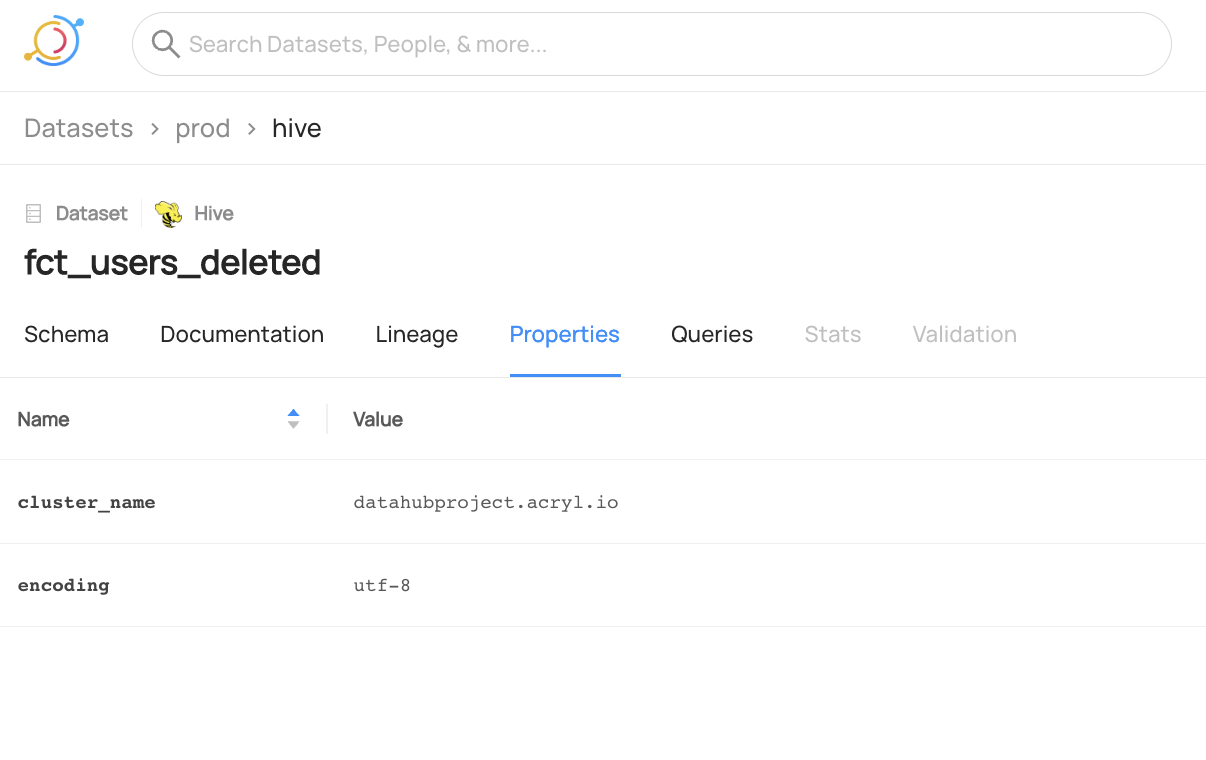
You can now see the `cluster_name` property is added to `fct_users_deleted` and the `retention_time` property is removed.
We can also verify this operation programmatically by checking the `datasetProperties` aspect using the `datahub` cli.
```shell
datahub get --urn "urn:li:dataset:(urn:li:dataPlatform:hive,fct_users_deleted,PROD)" --aspect datasetProperties
{
"datasetProperties": {
"customProperties": {
"encoding": "utf-8",
"cluster_name": "datahubproject.acryl.io"
},
"description": "table containing all the users deleted on a single day",
"tags": []
}
}
```
## Replace Custom Properties programmatically
The following code replaces the current custom properties with a new properties map that includes only the properties `cluster_name` and `retention_time`. After running this code, the previous `encoding` property will be removed.
#### GraphQL
> 🚫 Replacing Custom Properties on Dataset via GraphQL is currently not supported.
> Please check out [API feature comparison table](/docs/api/datahub-apis.md#datahub-api-comparison) for more information,
#### Java
```java
# Inlined from /metadata-integration/java/examples/src/main/java/io/datahubproject/examples/DatasetCustomPropertiesReplace.java
package io.datahubproject.examples;
import com.linkedin.common.urn.UrnUtils;
import com.linkedin.metadata.aspect.patch.builder.DatasetPropertiesPatchBuilder;
import com.linkedin.mxe.MetadataChangeProposal;
import datahub.client.MetadataWriteResponse;
import datahub.client.rest.RestEmitter;
import java.io.IOException;
import java.util.HashMap;
import java.util.Map;
import java.util.concurrent.Future;
import lombok.extern.slf4j.Slf4j;
@Slf4j
class DatasetCustomPropertiesReplace {
private DatasetCustomPropertiesReplace() {}
/**
* Replaces the existing custom properties map with a new map. Fields like dataset name,
* description etc remain unchanged.
*
* @param args
* @throws IOException
*/
public static void main(String[] args) throws IOException {
Map customPropsMap = new HashMap<>();
customPropsMap.put("cluster_name", "datahubproject.acryl.io");
customPropsMap.put("retention_time", "2 years");
MetadataChangeProposal datasetPropertiesProposal =
new DatasetPropertiesPatchBuilder()
.urn(UrnUtils.toDatasetUrn("hive", "fct_users_deleted", "PROD"))
.setCustomProperties(customPropsMap)
.build();
String token = "";
RestEmitter emitter = RestEmitter.create(b -> b.server("http://localhost:8080").token(token));
try {
Future response = emitter.emit(datasetPropertiesProposal);
System.out.println(response.get().getResponseContent());
} catch (Exception e) {
log.error("Failed to emit metadata to DataHub", e);
} finally {
emitter.close();
}
}
}
```
#### Python
```python
# Inlined from /metadata-ingestion/examples/library/dataset_replace_properties.py
from typing import Union
from datahub.configuration.kafka import KafkaProducerConnectionConfig
from datahub.emitter.kafka_emitter import DatahubKafkaEmitter, KafkaEmitterConfig
from datahub.emitter.mce_builder import make_dataset_urn
from datahub.emitter.rest_emitter import DataHubRestEmitter
from datahub.specific.dataset import DatasetPatchBuilder
# Get an emitter, either REST or Kafka, this example shows you both
def get_emitter() -> Union[DataHubRestEmitter, DatahubKafkaEmitter]:
USE_REST_EMITTER = True
if USE_REST_EMITTER:
gms_endpoint = "http://localhost:8080"
return DataHubRestEmitter(gms_server=gms_endpoint)
else:
kafka_server = "localhost:9092"
schema_registry_url = "http://localhost:8081"
return DatahubKafkaEmitter(
config=KafkaEmitterConfig(
connection=KafkaProducerConnectionConfig(
bootstrap=kafka_server, schema_registry_url=schema_registry_url
)
)
)
dataset_urn = make_dataset_urn(platform="hive", name="fct_users_created", env="PROD")
property_map_to_set = {
"cluster_name": "datahubproject.acryl.io",
"retention_time": "2 years",
}
with get_emitter() as emitter:
for patch_mcp in (
DatasetPatchBuilder(dataset_urn)
.set_custom_properties(property_map_to_set)
.build()
):
emitter.emit(patch_mcp)
print(f"Replaced custom properties on dataset {dataset_urn} as {property_map_to_set}")
```
### Expected Outcome of Replacing Custom Properties
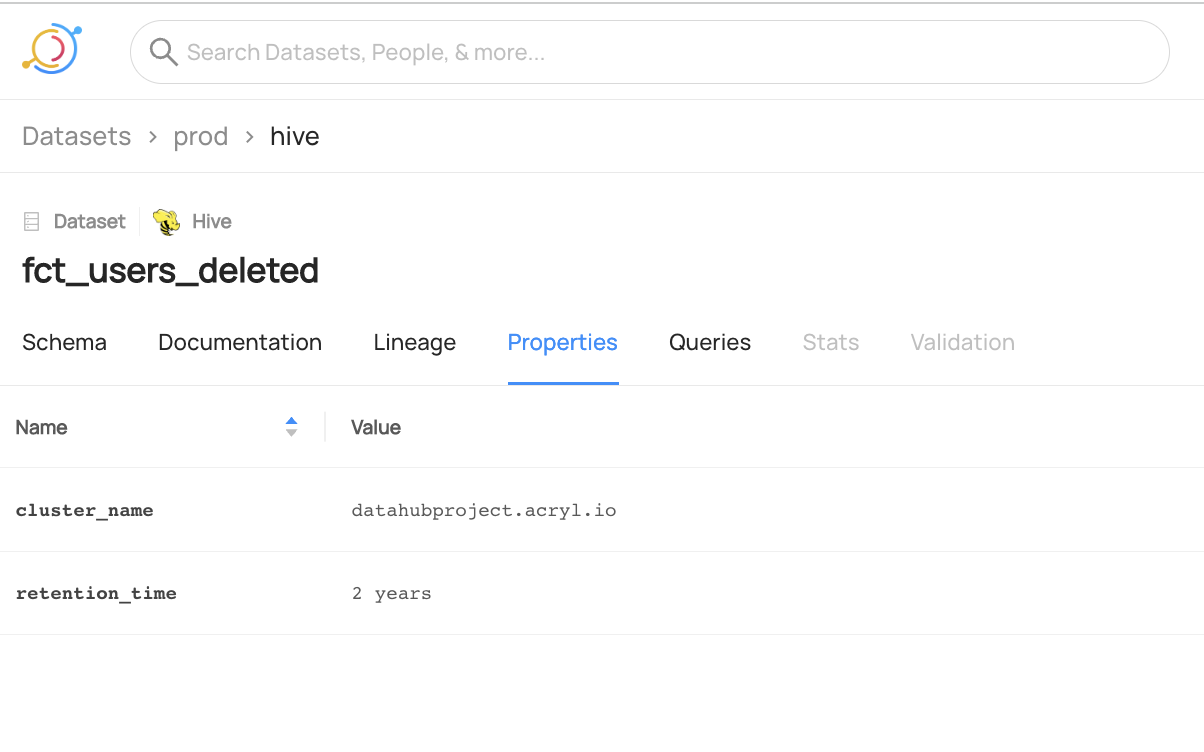
You can now see the `cluster_name` and `retention_time` properties are added to `fct_users_deleted` but the previous `encoding` property is no longer present.
We can also verify this operation programmatically by checking the `datasetProperties` aspect using the `datahub` cli.
```shell
datahub get --urn "urn:li:dataset:(urn:li:dataPlatform:hive,fct_users_deleted,PROD)" --aspect datasetProperties
{
"datasetProperties": {
"customProperties": {
"cluster_name": "datahubproject.acryl.io",
"retention_time": "2 years"
},
"description": "table containing all the users deleted on a single day",
"tags": []
}
}
```