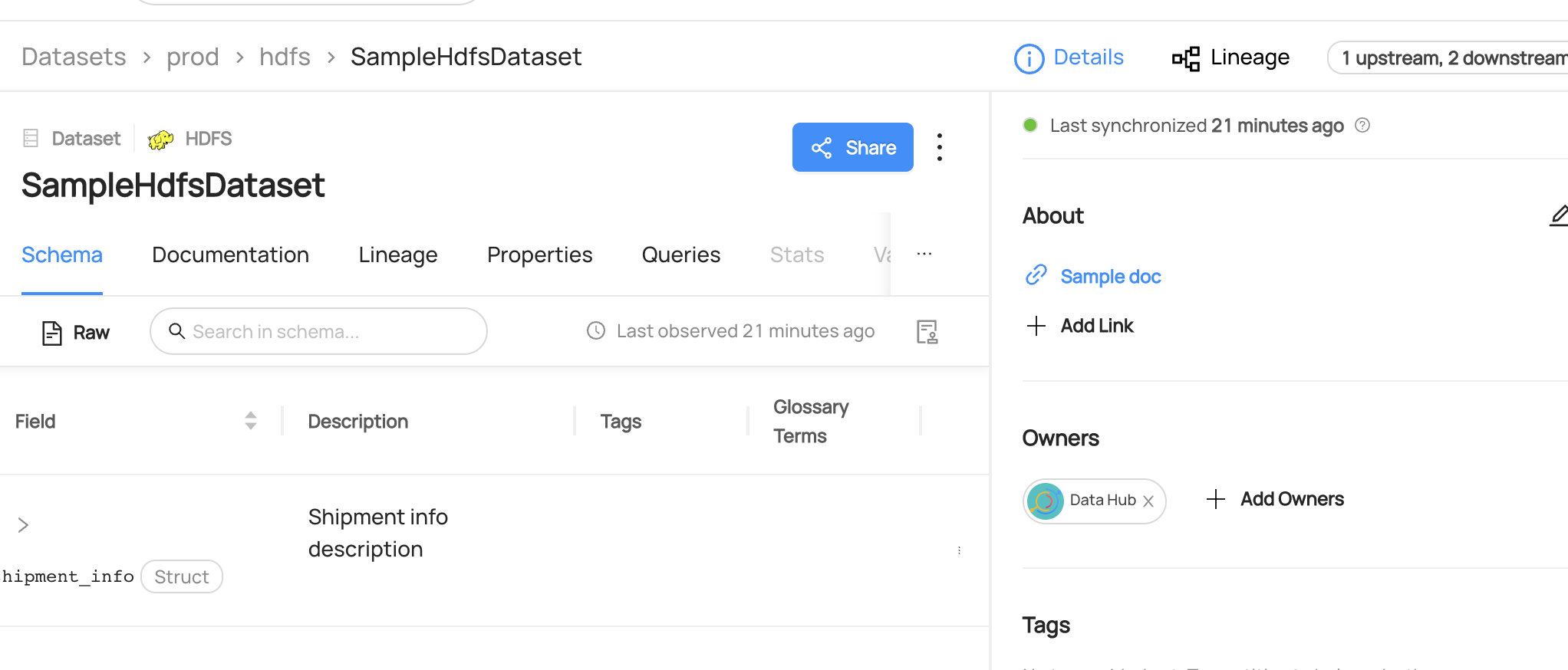
# Ownership
## Why Would You Use Users and Groups?
Users and groups are essential for managing ownership of data.
By creating or updating user accounts and assigning them to appropriate groups, administrators can ensure that the right people can access the data they need to do their jobs.
This helps to avoid confusion or conflicts over who is responsible for specific datasets and can improve the overall effectiveness.
### Goal Of This Guide
This guide will show you how to
- Create: create or update users and groups.
- Read: read owners attached to a dataset.
- Add: add user group as an owner to a dataset.
- Remove: remove the owner from a dataset.
## Pre-requisites
For this tutorial, you need to deploy DataHub Quickstart and ingest sample data.
For detailed information, please refer to [DataHub Quickstart Guide](/docs/quickstart.md).
:::note
In this guide, ingesting sample data is optional.
:::
## Upsert Users
#### CLI
Save this `user.yaml` as a local file.
```yaml
- id: bar@acryl.io
first_name: The
last_name: Bar
email: bar@acryl.io
slack: "@the_bar_raiser"
description: "I like raising the bar higher"
title: "Analytics Engineer"
groups:
- foogroup@acryl.io
- id: datahub
slack: "@datahubproject"
phone: "1-800-GOT-META"
description: "The DataHub Project"
title: "Data Engineer"
picture_link: "https://raw.githubusercontent.com/datahub-project/datahub/master/datahub-web-react/src/images/datahub-logo-color-stable.svg"
```
Execute the following CLI command to ingest user data.
Since the user datahub already exists in the sample data, any updates made to the user information will overwrite the existing data.
```
datahub user upsert -f user.yaml
```
If you see the following logs, the operation was successful:
```shell
Update succeeded for urn urn:li:corpuser:bar@acryl.io.
Update succeeded for urn urn:li:corpuser:datahub.
```
#### Python
```python
# Inlined from /metadata-ingestion/examples/library/upsert_user.py
from datahub.api.entities.corpuser.corpuser import CorpUser, CorpUserGenerationConfig
from datahub.ingestion.graph.client import DataHubGraph, DataHubGraphConfig
user_email = "bar@acryl.io"
user: CorpUser = CorpUser(
id=user_email,
display_name="The Bar",
email=user_email,
title="Software Engineer",
first_name="The",
last_name="Bar",
full_name="The Bar",
)
# Create graph client
datahub_graph = DataHubGraph(DataHubGraphConfig(server="http://localhost:8080"))
for event in user.generate_mcp(
generation_config=CorpUserGenerationConfig(override_editable=False)
):
datahub_graph.emit(event)
print(f"Upserted user {user.urn}")
```
### Expected Outcomes of Upserting User
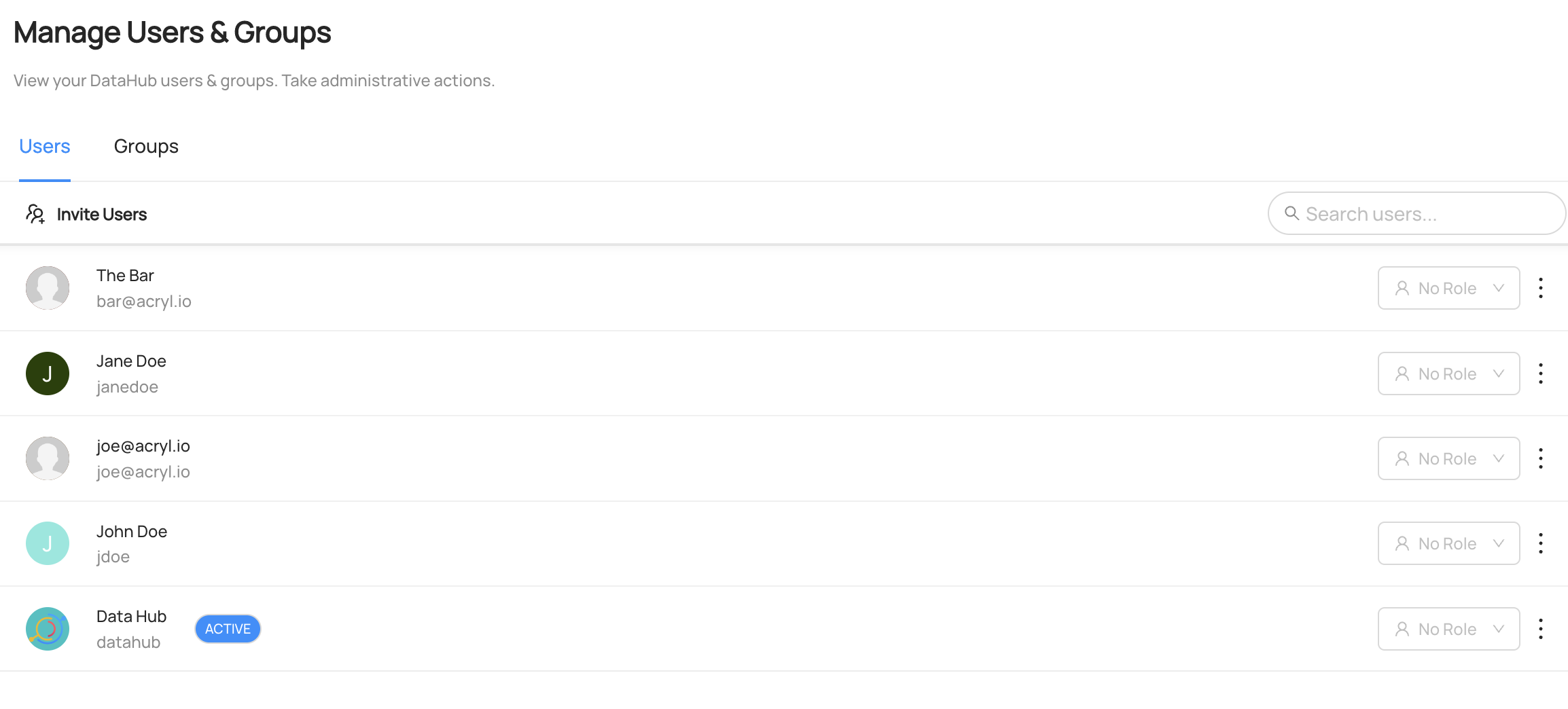
You can see the user `The bar` has been created and the user `Datahub` has been updated under `Settings > Access > Users & Groups`
## Upsert Group
#### CLI
Save this `group.yaml` as a local file. Note that the group includes a list of users who are owners and members.
Within these lists, you can refer to the users by their ids or their urns, and can additionally specify their metadata inline within the group description itself. See the example below to understand how this works and feel free to make modifications to this file locally to see the effects of your changes in your local DataHub instance.
```yaml
id: foogroup@acryl.io
display_name: Foo Group
owners:
- datahub
members:
- bar@acryl.io # refer to a user either by id or by urn
- id: joe@acryl.io # inline specification of user
slack: "@joe_shmoe"
display_name: "Joe's Hub"
```
Execute the following CLI command to ingest this group's information.
```
datahub group upsert -f group.yaml
```
If you see the following logs, the operation was successful:
```shell
Update succeeded for group urn:li:corpGroup:foogroup@acryl.io.
```
#### Python
```python
# Inlined from /metadata-ingestion/examples/library/upsert_group.py
from datahub.api.entities.corpgroup.corpgroup import (
CorpGroup,
CorpGroupGenerationConfig,
)
from datahub.ingestion.graph.client import DataHubGraph, DataHubGraphConfig
from datahub.metadata.urns import CorpUserUrn
group_email = "foogroup@acryl.io"
group = CorpGroup(
id=group_email,
owners=[str(CorpUserUrn("datahub"))],
members=[
str(CorpUserUrn("bar@acryl.io")),
str(CorpUserUrn("joe@acryl.io")),
],
display_name="Foo Group",
email=group_email,
description="Software engineering team",
slack="@foogroup",
)
# Create graph client
datahub_graph = DataHubGraph(DataHubGraphConfig(server="http://localhost:8080"))
for event in group.generate_mcp(
generation_config=CorpGroupGenerationConfig(
override_editable=False, datahub_graph=datahub_graph
)
):
datahub_graph.emit(event)
print(f"Upserted group {group.urn}")
```
### Expected Outcomes of Upserting Group
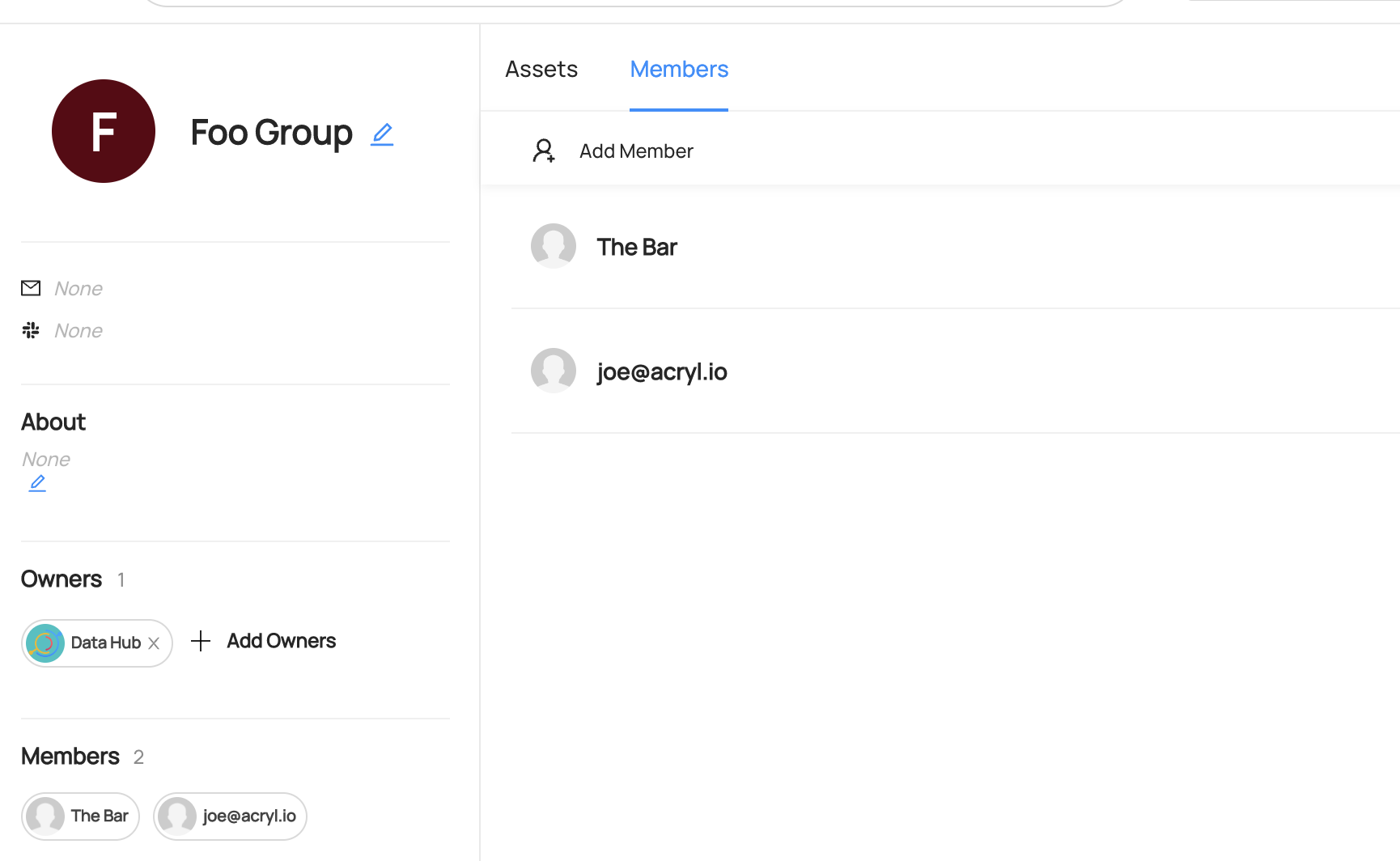
You can see the group `Foo Group` has been created under `Settings > Access > Users & Groups`
## Read Owners
#### GraphQL
```json
query {
dataset(urn: "urn:li:dataset:(urn:li:dataPlatform:hive,SampleHiveDataset,PROD)") {
ownership {
owners {
owner {
... on CorpUser {
urn
type
}
... on CorpGroup {
urn
type
}
}
}
}
}
}
```
If you see the following response, the operation was successful:
```json
{
"data": {
"dataset": {
"ownership": {
"owners": [
{
"owner": {
"urn": "urn:li:corpuser:jdoe",
"type": "CORP_USER"
}
},
{
"owner": {
"urn": "urn:li:corpuser:datahub",
"type": "CORP_USER"
}
}
]
}
}
},
"extensions": {}
}
```
#### Curl
```shell
curl --location --request POST 'http://localhost:8080/api/graphql' \
--header 'Authorization: Bearer ' \
--header 'Content-Type: application/json' \
--data-raw '{ "query": "{ dataset(urn: \"urn:li:dataset:(urn:li:dataPlatform:hive,SampleHiveDataset,PROD)\") { ownership { owners { owner { ... on CorpUser { urn type } ... on CorpGroup { urn type } } } } } }", "variables":{}}'
```
Expected Response:
```json
{
"data": {
"dataset": {
"ownership": {
"owners": [
{ "owner": { "urn": "urn:li:corpuser:jdoe", "type": "CORP_USER" } },
{ "owner": { "urn": "urn:li:corpuser:datahub", "type": "CORP_USER" } }
]
}
}
},
"extensions": {}
}
```
#### Python
```python
# Inlined from /metadata-ingestion/examples/library/dataset_query_owners.py
from datahub.sdk import DataHubClient, DatasetUrn
client = DataHubClient.from_env()
dataset = client.entities.get(
DatasetUrn(platform="hive", name="realestate_db.sales", env="PROD")
)
print(dataset.owners)
```
## Add Owners
#### GraphQL
```python
mutation addOwners {
addOwner(
input: {
ownerUrn: "urn:li:corpGroup:bfoo",
resourceUrn: "urn:li:dataset:(urn:li:dataPlatform:hive,fct_users_created,PROD)",
ownerEntityType: CORP_GROUP,
type: TECHNICAL_OWNER
}
)
}
```
Expected Response:
```python
{
"data": {
"addOwner": true
},
"extensions": {}
}
```
#### Curl
```shell
curl --location --request POST 'http://localhost:8080/api/graphql' \
--header 'Authorization: Bearer ' \
--header 'Content-Type: application/json' \
--data-raw '{ "query": "mutation addOwners { addOwner(input: { ownerUrn: \"urn:li:corpGroup:bfoo\", resourceUrn: \"urn:li:dataset:(urn:li:dataPlatform:hive,fct_users_created,PROD)\", ownerEntityType: CORP_GROUP, type: TECHNICAL_OWNER }) }", "variables":{}}'
```
#### Python
```python
# Inlined from /metadata-ingestion/examples/library/dataset_add_owner.py
from datahub.sdk import CorpUserUrn, DataHubClient, DatasetUrn
client = DataHubClient.from_env()
dataset = client.entities.get(DatasetUrn(platform="hive", name="realestate_db.sales"))
# Add owner with the TECHNICAL_OWNER type
dataset.add_owner(CorpUserUrn("jdoe"))
client.entities.update(dataset)
```
## Expected Outcomes of Adding Owner
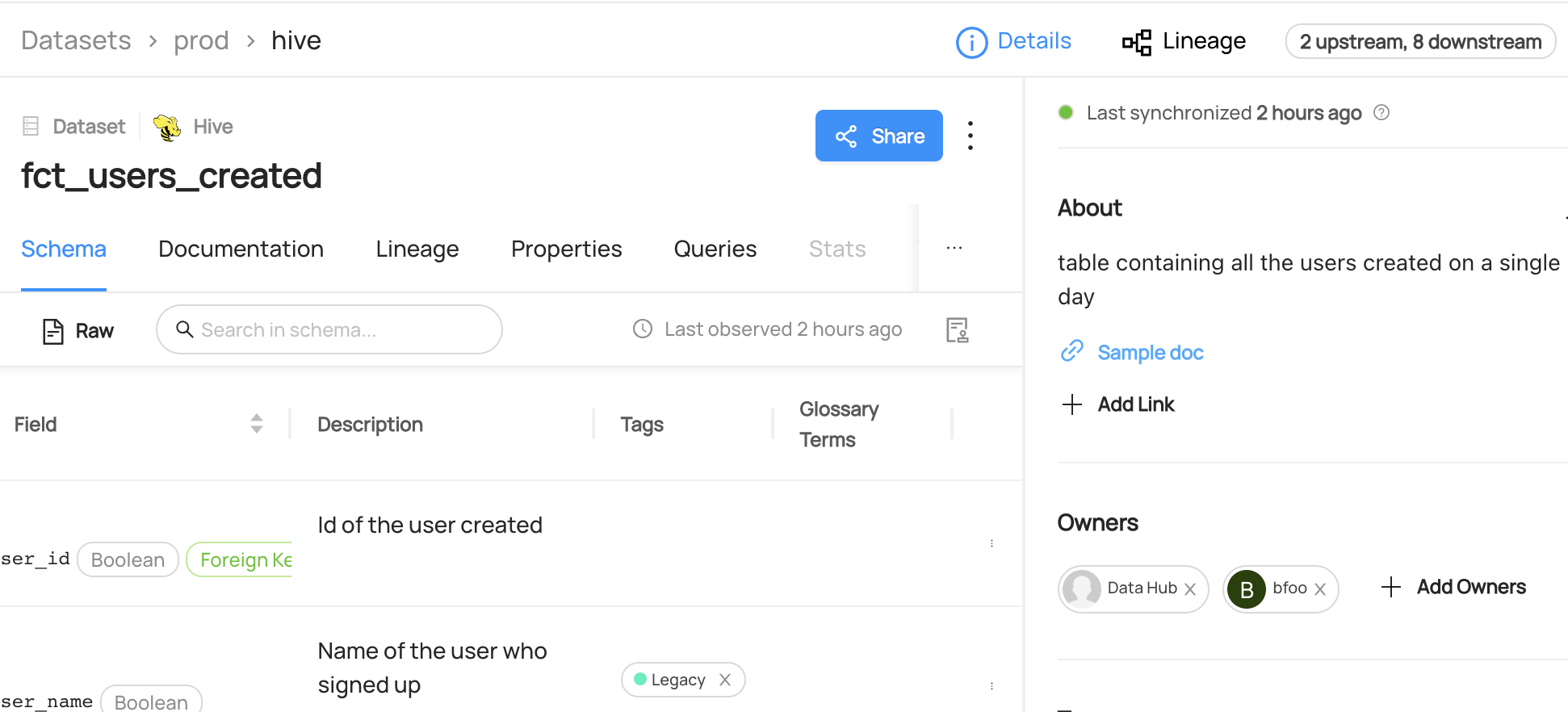
You can now see `bfoo` has been added as an owner to the `fct_users_created` dataset.
## Remove Owners
#### GraphQL
```json
mutation removeOwners {
removeOwner(
input: {
ownerUrn: "urn:li:corpuser:jdoe",
resourceUrn: "urn:li:dataset:(urn:li:dataPlatform:hdfs,SampleHdfsDataset,PROD)",
}
)
}
```
Note that you can also remove owners from multiple entities or subresource using `batchRemoveOwners`.
```json
mutation batchRemoveOwners {
batchRemoveOwners(
input: {
ownerUrns: ["urn:li:corpuser:jdoe"],
resources: [
{ resourceUrn:"urn:li:dataset:(urn:li:dataPlatform:hdfs,SampleHdfsDataset,PROD)"} ,
{ resourceUrn:"urn:li:dataset:(urn:li:dataPlatform:hive,fct_users_created,PROD)"} ,]
}
)
}
```
Expected Response:
```python
{
"data": {
"removeOwner": true
},
"extensions": {}
}
```
#### Curl
```shell
curl --location --request POST 'http://localhost:8080/api/graphql' \
--header 'Authorization: Bearer ' \
--header 'Content-Type: application/json' \
--data-raw '{ "query": "mutation removeOwner { removeOwner(input: { ownerUrn: \"urn:li:corpuser:jdoe\", resourceUrn: \"urn:li:dataset:(urn:li:dataPlatform:hdfs,SampleHdfsDataset,PROD)\" }) }", "variables":{}}'
```
#### Python
```python
# Inlined from /metadata-ingestion/examples/library/dataset_remove_owner_execute_graphql.py
# read-modify-write requires access to the DataHubGraph (RestEmitter is not enough)
from datahub.ingestion.graph.client import DatahubClientConfig, DataHubGraph
gms_endpoint = "http://localhost:8080"
graph = DataHubGraph(DatahubClientConfig(server=gms_endpoint))
# Query multiple aspects from entity
query = """
mutation batchRemoveOwners {
batchRemoveOwners(
input: {
ownerUrns: ["urn:li:corpuser:jdoe"],
resources: [
{ resourceUrn:"urn:li:dataset:(urn:li:dataPlatform:hdfs,SampleHdfsDataset,PROD)"} ,
{ resourceUrn:"urn:li:dataset:(urn:li:dataPlatform:hive,fct_users_created,PROD)"} ,]
}
)
}
"""
result = graph.execute_graphql(query=query)
print(result)
```
### Expected Outcomes of Removing Owners
You can now see `John Doe` has been removed as an owner from the `fct_users_created` dataset.