# Context Documents
> **Availability:** Self-Hosted DataHub & DataHub Cloud
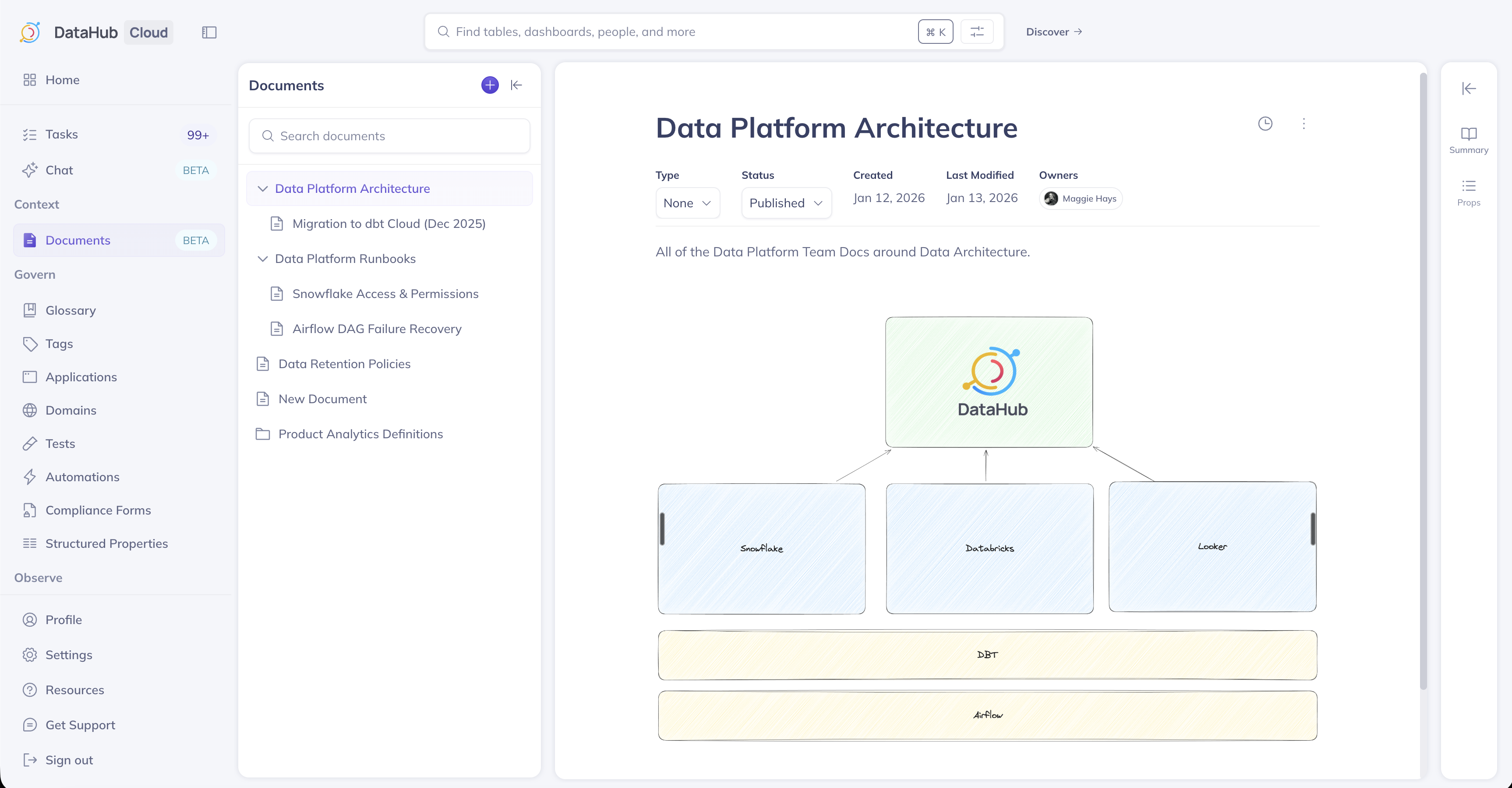
**Context Documents** let you capture tribal knowledge in DataHub. With Context Documents, you can create runbooks, FAQs, process guides, decision logs, and more to capture curated organizational context.
Once created, documents can be **published** to become visible to your team and AI assistants like [Ask DataHub](../ask-datahub.md) to provide grounded, consistent answers.
## Highlights
Context Documents are first-class citizens in DataHub. You can:
- **Classify by type** — Runbook, FAQ, Policy, Decision Log, and more
- **Organize with metadata** — Domains, Tags, Glossary Terms, Owners, and Structured Properties
- **Link related assets** — Connect to the Datasets, Dashboards, and Charts they describe
- **Control visibility** — Publish to share with your organization and AI agents, or keep as draft
- **Track version history** — See changes over time and restore previous versions
- **Import from external sources** — Bring in docs from Notion, Confluence, or GitHub
## Creating a Document
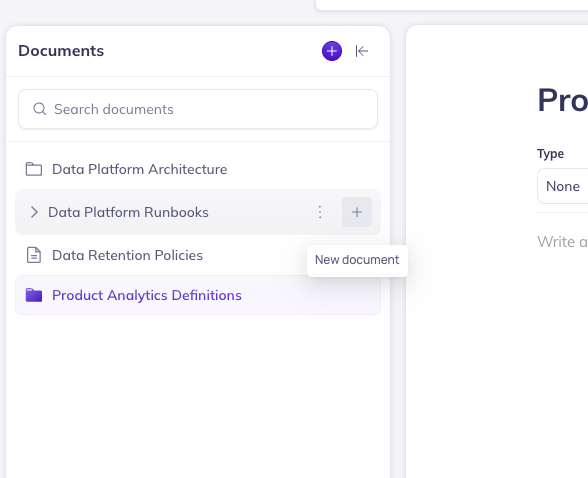
Create documents from the **Documents** section in the left navigation.
1. Click **+ New** to create a new document.
2. Choose a **parent document** (optional) to nest it in your hierarchy.
3. Enter a title and write your content using the rich text editor.
4. Add metadata (Type, Owner, Tags, Domain) as needed.
## Importing Documents
From **Documents**, click **Import**, choose a source, and configure the connection. DataHub creates a managed ingestion source you can run once or on a schedule. Managing imports requires the same privilege as other Data Sources.
By default, all sources create **Native** (editable) documents in DataHub. Switch **Document import mode** to **External** in the data source configuration if you want read-only documents that stay linked to the source system.
| Source | Direction | Notes | Guide |
| -------------- | --------------------------------------- | ---------------------------------------------------------------------------------------- | ------------------------------------------------ |
| **Notion** | One-way (Notion → DataHub) | Native by default; optionally External (read-only). No sync-back. | [Import from Notion](./import-notion.md) |
| **Confluence** | One-way (Confluence → DataHub) | Native by default; optionally External (read-only). No sync-back. | [Import from Confluence](./import-confluence.md) |
| **GitHub** | Import; sync-back on DataHub Cloud only | Native by default; optionally External (read-only). Sync-back is **DataHub Cloud only**. | [Import from GitHub](./import-github.md) |
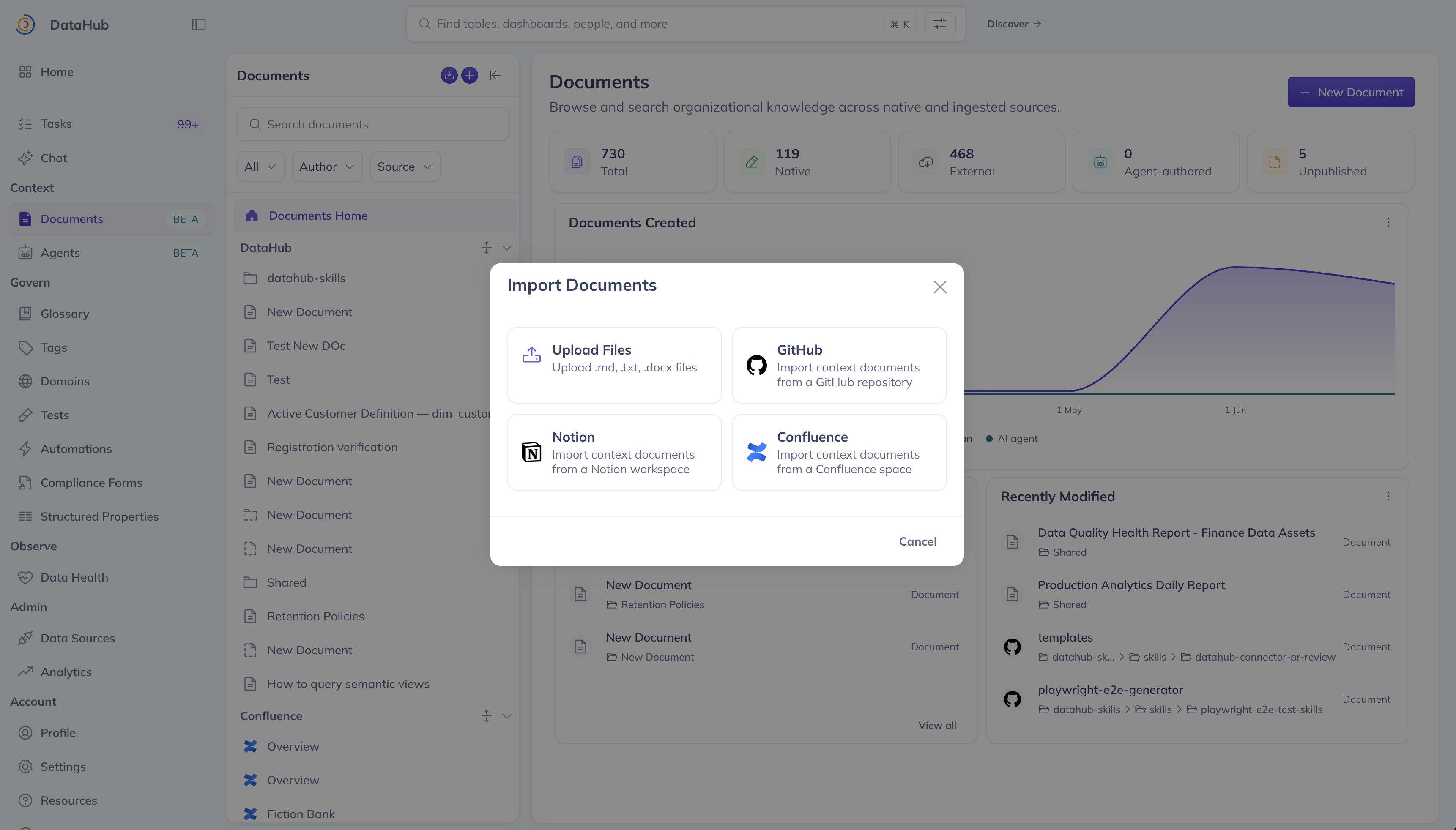
_Screenshot: Import Documents source picker (Notion, Confluence, GitHub)._
Track runs and schedules on the **Data Sources** / **Ingestion** page.
## Publishing a Document
Documents can be in **Draft** or **Published** states. Draft documents are only visible to you - the owner. Published documents are visible to everyone else.
Toggle **Published** in the document header to publish or unpublish your documents.
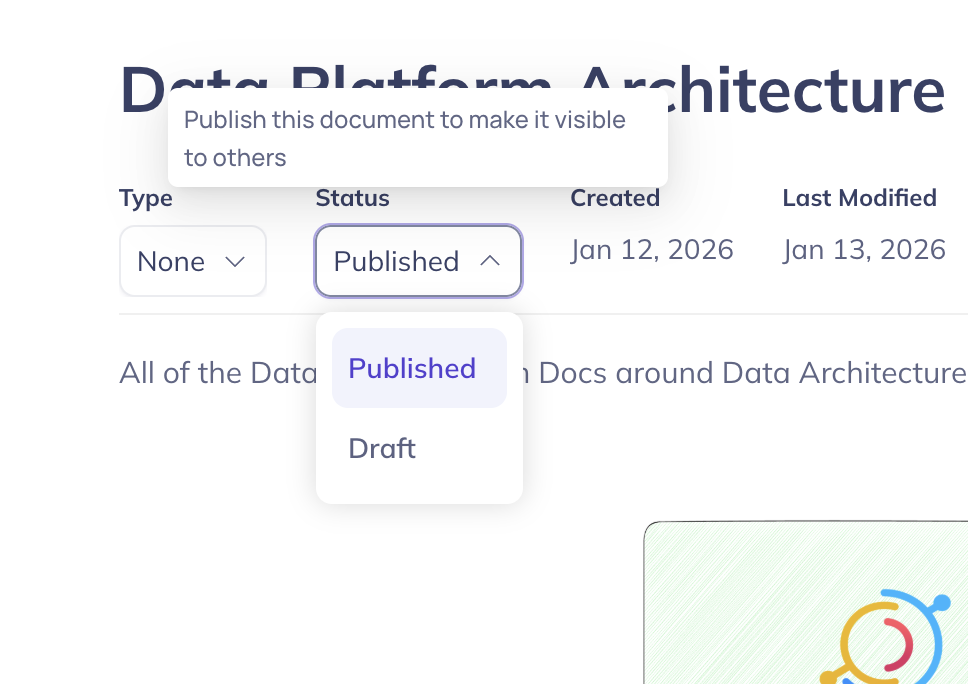
:::info Context Documents are created in **Published** state by default.
:::
## Moving a Document
Reorganize your document hierarchy at any time.
1. Open the document or use the context menu in the directory tree.
2. Select **Move**.
3. Choose a new parent (or move to top-level).
## Searching for Documents
Find documents using DataHub's primary search bar alongside your data assets, and within the **Documents** tab accessible from the left navigation bar.
## Document History
Track changes, view previous versions, and restore document contents by visiting the document history timeline.
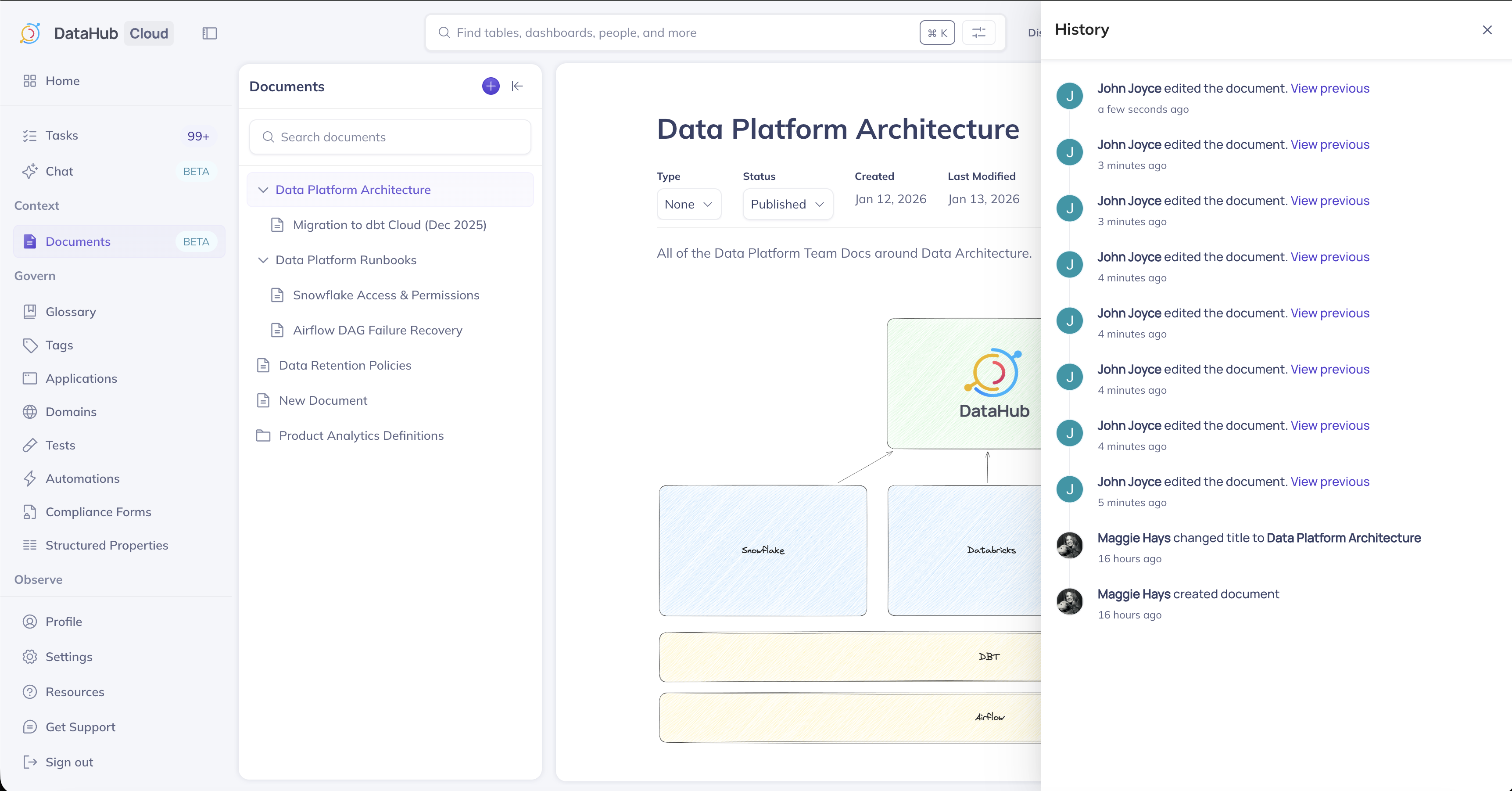
Change types include:
- Document is created
- Document title is changed
- Document contents are changed
- Document is published or unpublished
- Related assets are updated
## Context Documents in Ask DataHub
When you ask a question in [Ask DataHub](../ask-datahub.md), the AI searches your published documents alongside your metadata graph. If relevant context is found, Ask DataHub cites the document in its response.
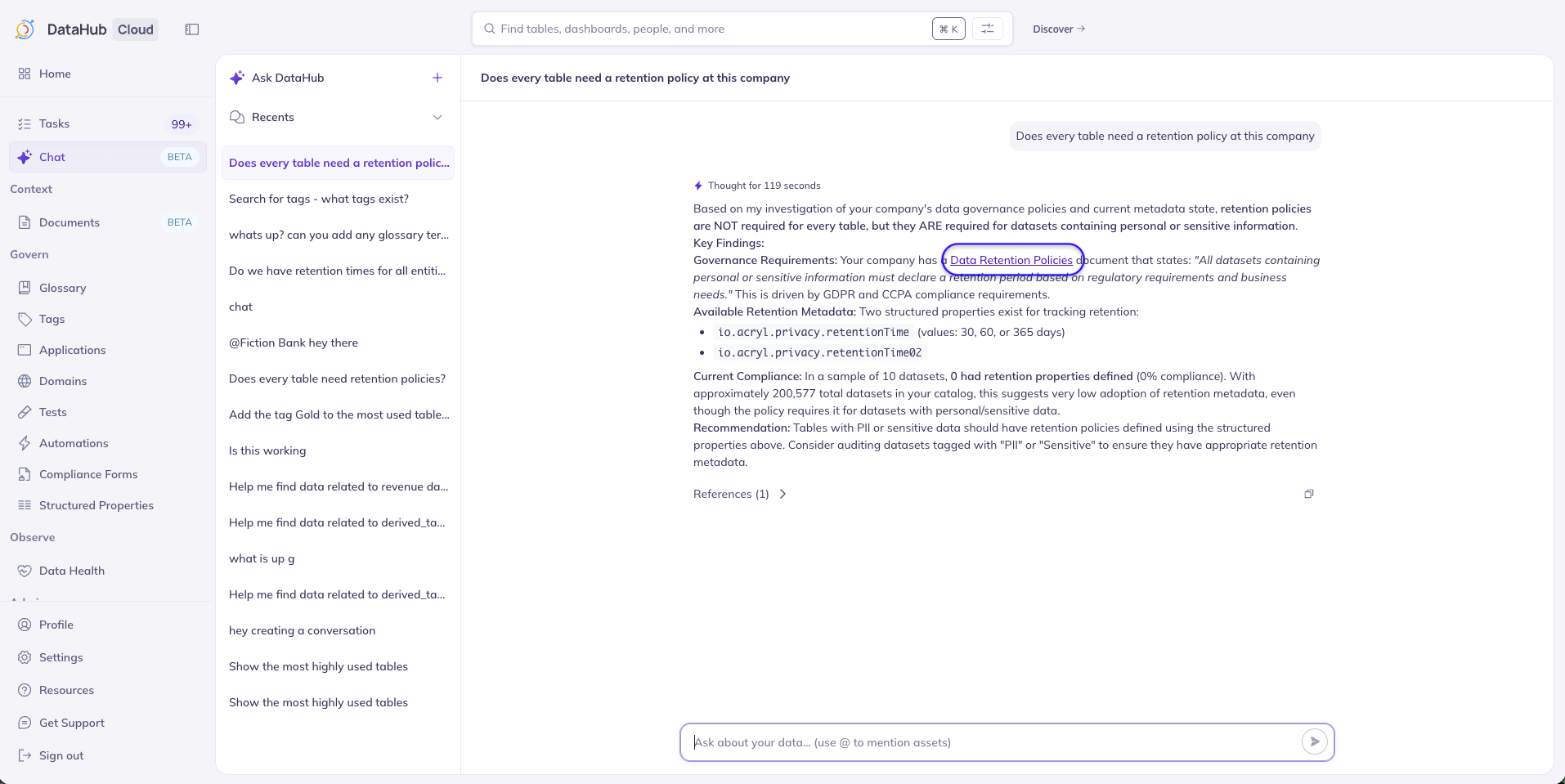
_Note: Ask DataHub is available in DataHub Cloud only._
## Programmatic Access
Context Documents are accessible via:
- **Python SDK**: Create, update, and retrieve documents programmatically. See the [Documents API tutorial](../../../api/tutorials/documents.md).
- **MCP Server**: Expose documents to AI agents and external tools. See the [DataHub MCP Server](../mcp.md).
## Related Guides
- [Notion ingestion source](../../../generated/ingestion/sources/notion.md)
- [Confluence ingestion source](../../../generated/ingestion/sources/confluence.md)
- [GitHub Documents ingestion source](../../../generated/ingestion/sources/github.md)