# Import from GitHub
> **Availability:** DataHub Cloud only
## Overview
Import markdown and text files from a GitHub repository into DataHub as Context Documents. Folder hierarchy is preserved.
By default, imports are **Native** (editable in DataHub). Switch **Document import mode** to **External** for read-only documents linked to GitHub. On **DataHub Cloud**, you can optionally enable **sync-back** to push DataHub edits back to the same repository (Native mode).
## Prerequisites
- Access to the target repository via the tenant **GitHub App** (recommended) or a personal access token (read access; write access if using sync-back on DataHub Cloud)
- Permission to manage Data Sources / ingestion in DataHub
## Set Up Import
1. Open **Documents** → **Import** → **GitHub**.
2. Authenticate (GitHub App or personal access token).
3. Set the **repository**, branch, optional path prefix / file extensions, and Document import mode (Native or External).
4. Optionally enable **Sync edits back to GitHub** (DataHub Cloud only — pull request or direct commit, plus conflict policy).
5. Save and run (or schedule) the source.
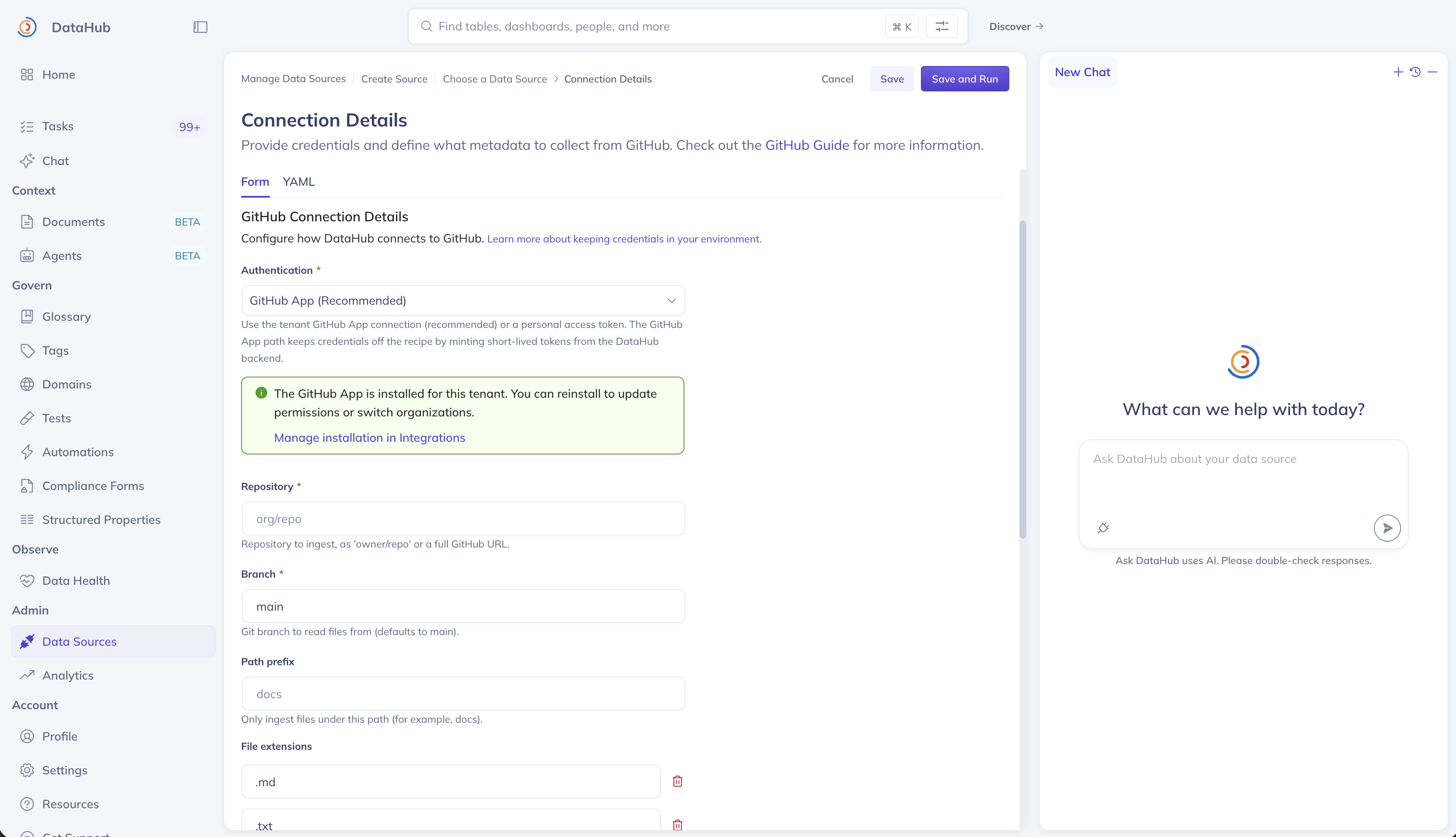
_Screenshot: GitHub import / data source configuration (including sync-back options)._
### Sync-back (optional, DataHub Cloud only)
:::info DataHub Cloud only
Sync-back is available only on DataHub Cloud (`github-documents-cloud`). Open-source `github-documents` import does not write changes back to GitHub.
:::
When enabled, each run imports from GitHub first, then writes pending DataHub changes back — usually as a **pull request** (recommended) or a **direct commit**. Concurrent edits are handled by your conflict policy (merge, DataHub wins, or skip).
## View Run History
Open **Data Sources** (Ingestion) to view runs, schedules, and failures — including sync-back results.
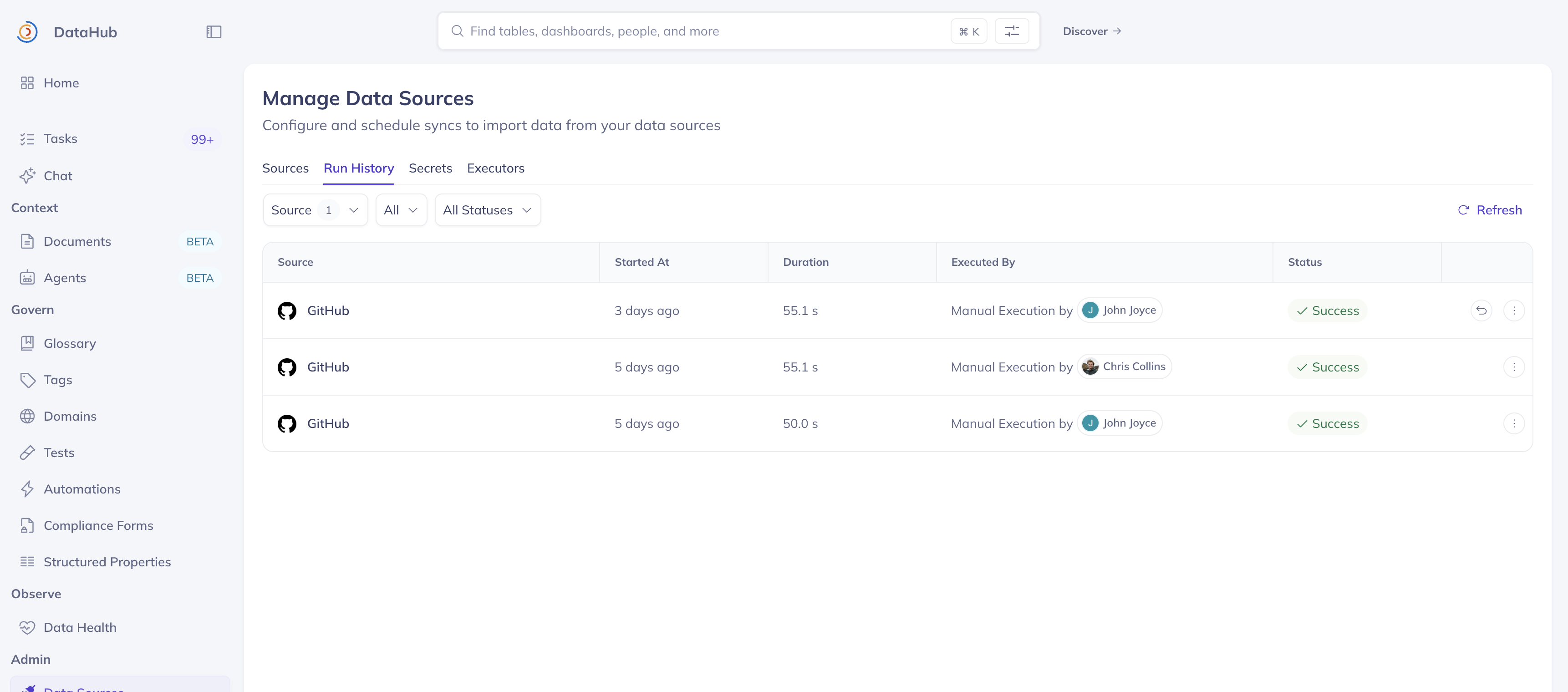
_Screenshot: Ingestion / Data Sources run history for a document import source._
## Next steps
- Full connector reference: [GitHub Documents source](../../../generated/ingestion/sources/github.md)
- Back to [Context Documents](./context-documents.md)