Context Documents
Context Documents hold the knowledge your people and AI agents need but can't get from table schemas alone: what a metric means, which tables to trust, how to request access, and what to watch out for.
Agents find them by asking questions in plain language. A good context document reads like a map for answering a specific question: "To calculate net revenue retention, start with these tables, join them like this, and exclude trial accounts." They work just as well for governance and process: "Here's how to get access to customer PII, and who approves it."
Think of them like skills for your data agents: small pieces of know-how that an agent pulls in only when a question needs them.
Context Documents come from two places:
- People write them in DataHub, or import them from Notion, Confluence, or GitHub.
- Context Generation (DataHub Cloud) writes them from your analytics exhaust: the queries analysts run, plus BI and semantic models. Each one is a map for a business question your team answers again and again.
Once published, documents are visible to your team, to Ask DataHub, and to any agent connected through the MCP server. Assign them to a domain to limit them to that domain's agents.
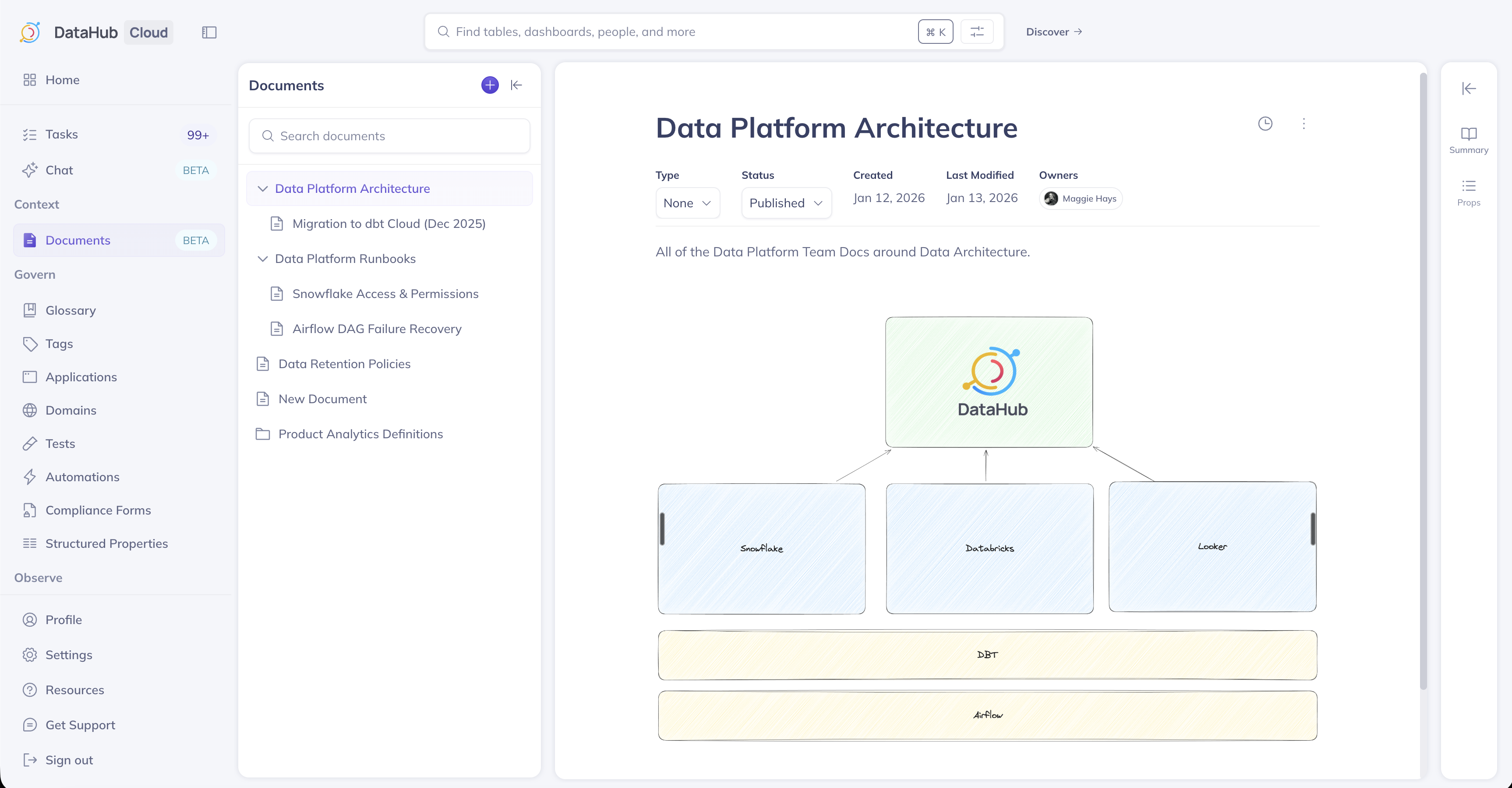
Highlights
Context Documents are first-class citizens in DataHub. You can:
- Classify by type — Runbook, FAQ, Policy, Decision Log, and more
- Organize with metadata — Domains, Tags, Glossary Terms, Owners, and Structured Properties
- Link related assets — Connect to the tables, dashboards, charts, domains, data products, and glossary terms they describe. Agents see related documents whenever they look up those assets.
- Control visibility — Publish to share with your organization and AI agents, or keep as draft
- Track version history — See changes over time and restore previous versions
- Import from external sources — Bring in docs from Notion, Confluence, or GitHub
- Generate from real usage — On DataHub Cloud, Context Generation writes documents from query history and BI definitions
Creating a Document
Create documents from the Documents section in the left navigation.
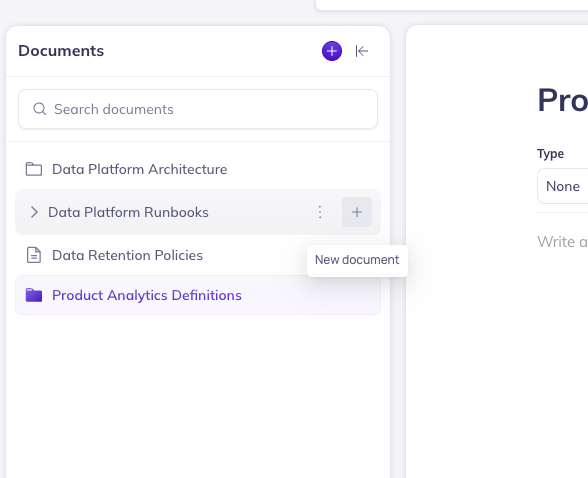
- Click + New to create a new document.
- Choose a parent document (optional) to nest it in your hierarchy.
- Enter a title and write your content using the rich text editor.
- Add metadata (Type, Owner, Tags, Domain) as needed.
Guardrails for Specific Tables
Some knowledge belongs to one table: "amounts are in cents", "always filter out is_test", "this is a daily snapshot, so never sum across days." Put it in a document and relate the document to the table.
- From the document, add the table under Related Assets.
- Or, from the table's page, use Add related link or context.
Related documents travel with the asset. When an agent looks up the table, it gets the guardrails along with the schema, without having to know to search for them. The same works for dashboards, domains, data products, and glossary terms.
Importing Documents
From Documents, click Import, choose a source, and configure the connection. DataHub creates a managed ingestion source you can run once or on a schedule. Managing imports requires the same privilege as other Data Sources.
By default, all sources create Native (editable) documents in DataHub. Switch Document import mode to External in the data source configuration if you want read-only documents that stay linked to the source system.
| Source | Direction | Notes | Guide |
|---|---|---|---|
| Notion | One-way (Notion → DataHub) | Native by default; optionally External (read-only). No sync-back. | Import from Notion |
| Confluence | One-way (Confluence → DataHub) | Native by default; optionally External (read-only). No sync-back. | Import from Confluence |
| GitHub | Import; sync-back on DataHub Cloud only | Native by default; optionally External (read-only). Sync-back is DataHub Cloud only. | Import from GitHub |
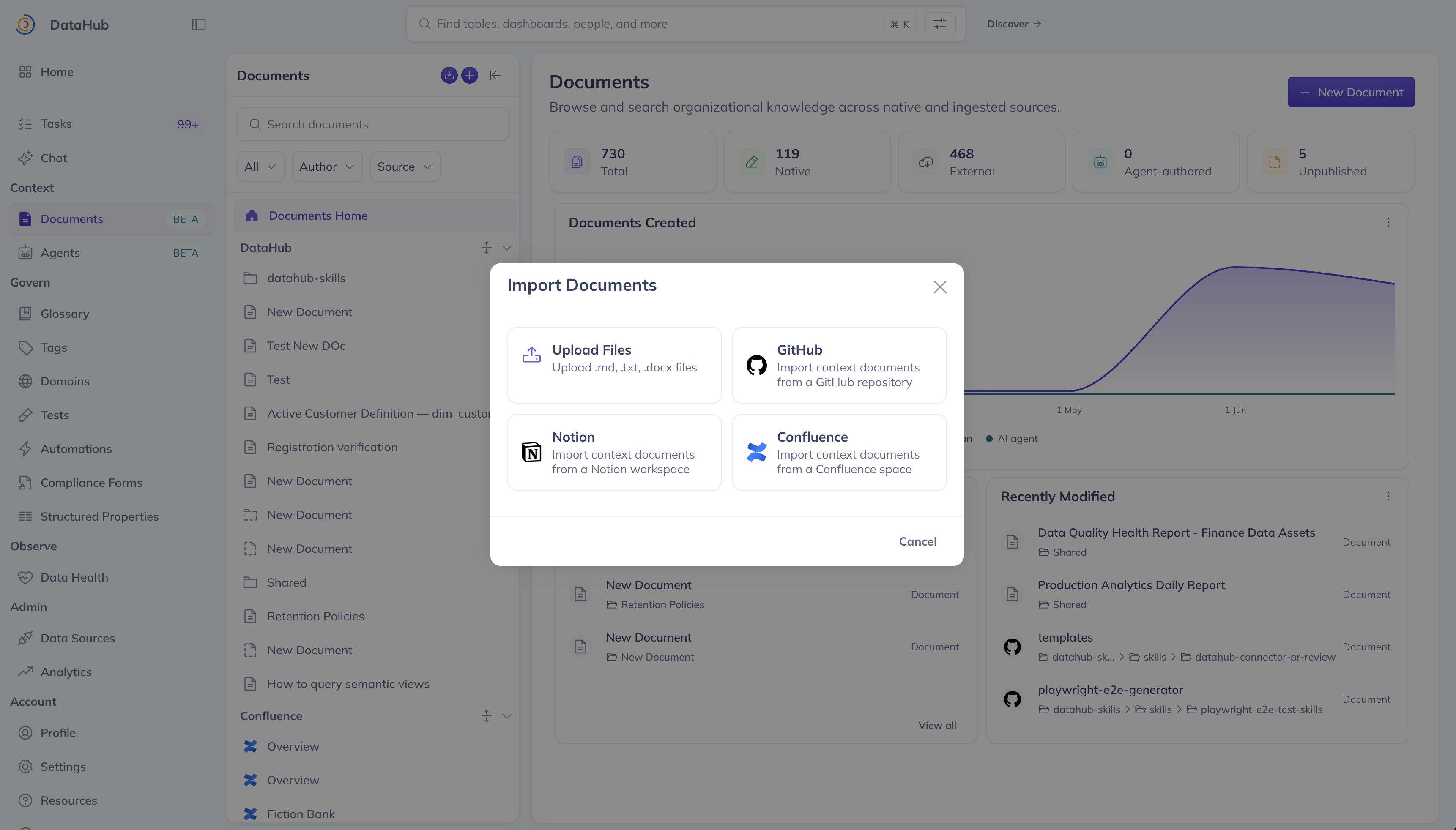
Screenshot: Import Documents source picker (Notion, Confluence, GitHub).
You can also choose Upload files to import Markdown, Word, HTML, text, or CSV files directly.
Track runs and schedules on the Data Sources / Ingestion page.
Publishing a Document
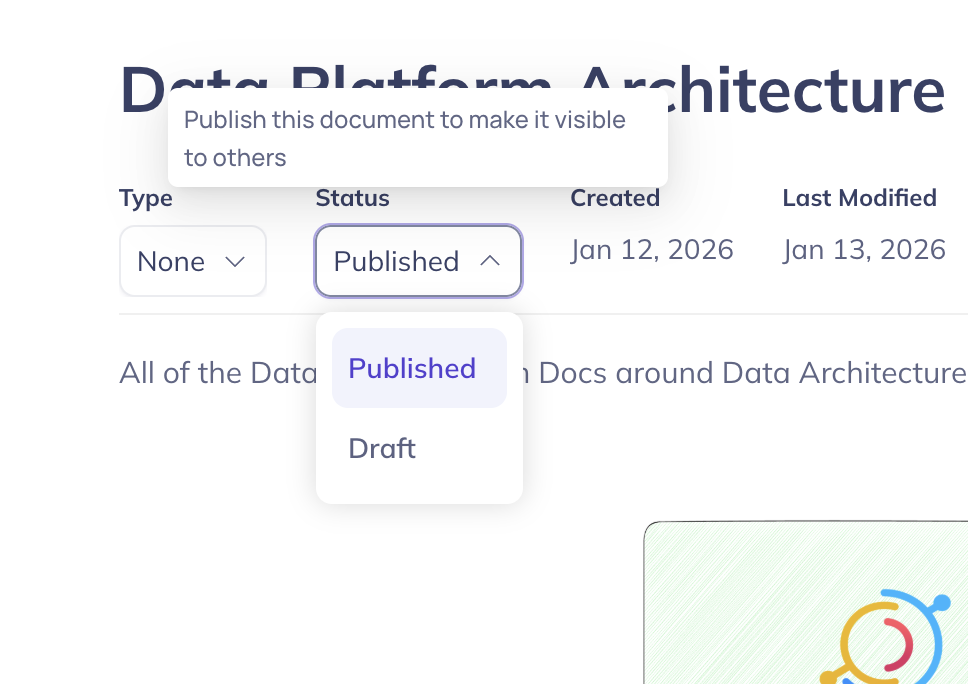
Documents can be in Draft or Published states. Draft documents are only visible to you - the owner. Published documents are visible to everyone else.
Toggle Published in the document header to publish or unpublish your documents.
Moving a Document
Reorganize your document hierarchy at any time.
- Open the document or use the context menu in the directory tree.
- Select Move.
- Choose a new parent (or move to top-level).
Searching for Documents
Find documents using DataHub's primary search bar alongside your data assets, and within the Documents tab accessible from the left navigation bar.
Document History
Track changes, view previous versions, and restore document contents by visiting the document history timeline.
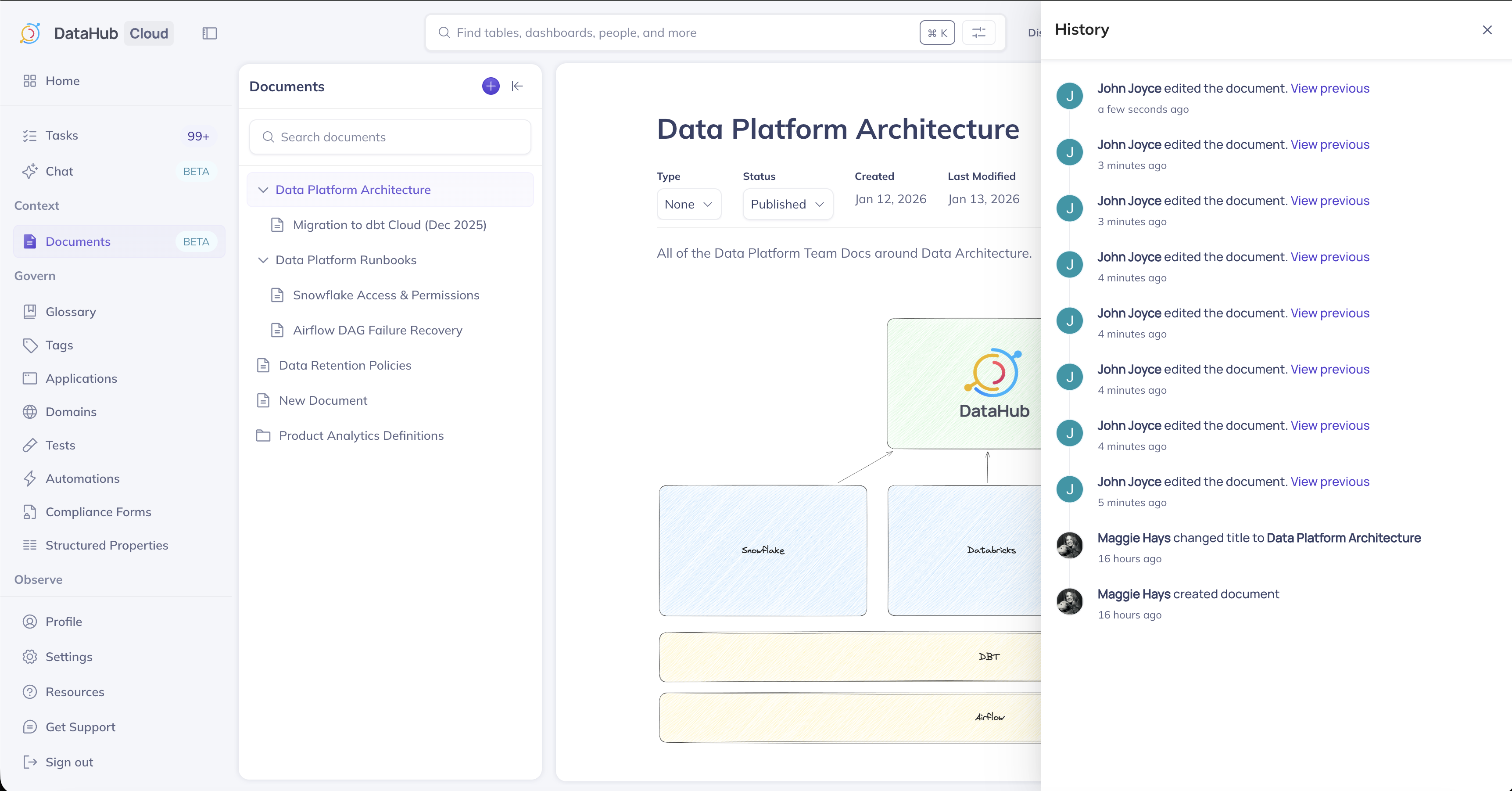
Change types include:
- Document is created
- Document title is changed
- Document contents are changed
- Document is published or unpublished
- Related assets are updated
Context Documents in Ask DataHub
When you ask a question in Ask DataHub, the AI searches your published documents alongside your metadata graph. If relevant context is found, Ask DataHub cites the document in its response. Documents are ranked by how well they match the question, how often they're used, and how recently they were updated, so well-used, up-to-date documents surface first. The same ranking applies when external agents search through the MCP server.
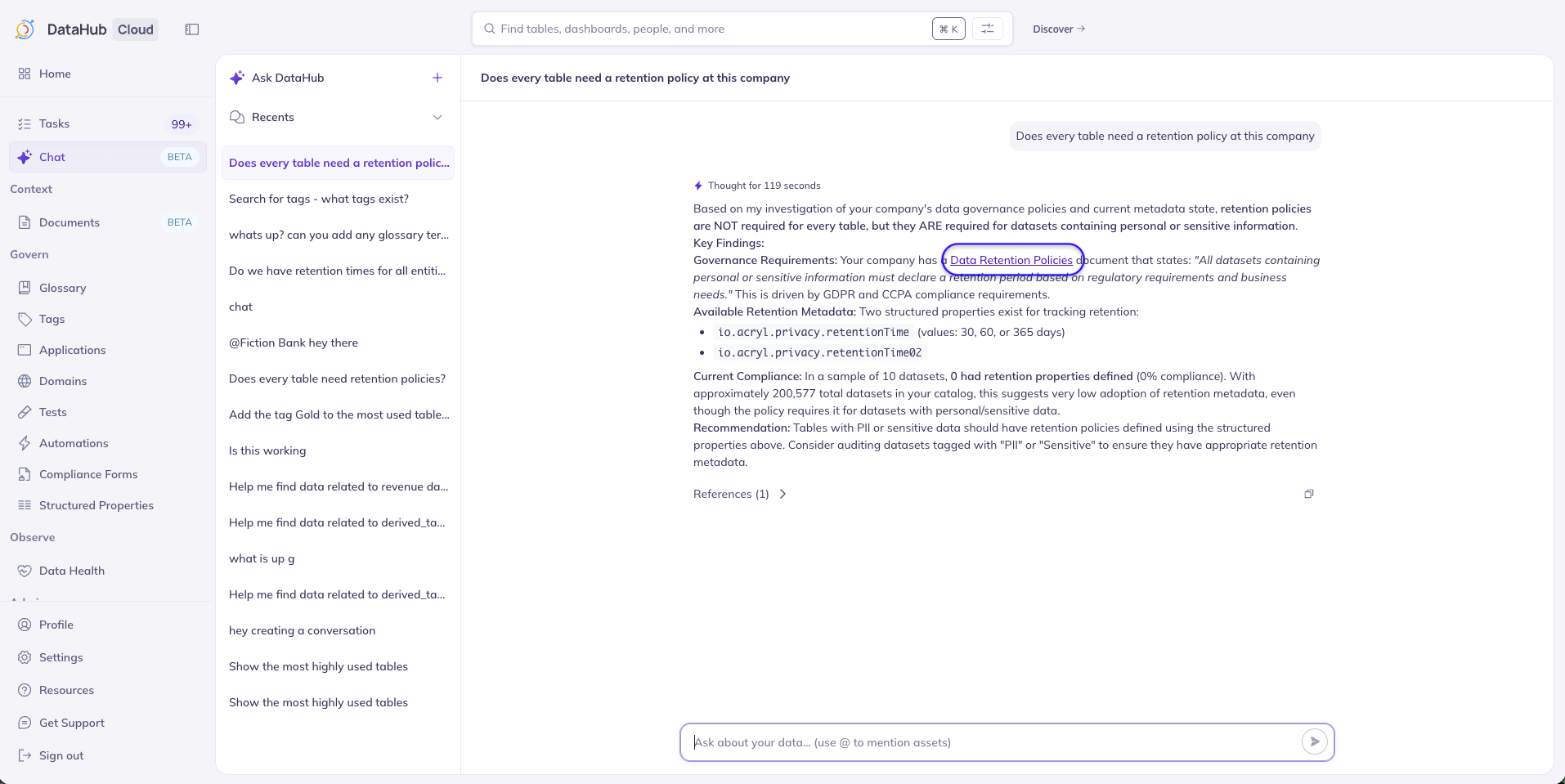
Note: Ask DataHub is available in DataHub Cloud only.
Who Can Create, Edit, and Delete Documents
| Role | Create | Edit and move | Delete |
|---|---|---|---|
| Admin | Yes | Yes | Yes |
| Editor | Yes | Yes | Only documents they own |
| Reader | No | No | No |
Owners of a document can also edit, move, and delete it, whatever their role.
To change this, edit your policies.
Programmatic Access
Context Documents are accessible via:
- Python SDK: Create, update, and retrieve documents programmatically. See the Documents API tutorial.
- MCP Server: Expose documents to AI agents and external tools. See the DataHub MCP Server.
Related Guides
- Build a Data Agent, a guide to using Context Documents with AI agents
- Notion ingestion source
- Confluence ingestion source
- GitHub Documents ingestion source