GitHub Copilot
Give GitHub Copilot access to your enterprise data context in DataHub, so it can find trustworthy data, trace lineage, look up ownership and read documentation while it writes code. This guide covers Copilot in VS Code, the Copilot CLI and the Copilot cloud agent on GitHub.com.
Prerequisites
- A GitHub Copilot plan. On Copilot Business or Copilot Enterprise, an organization owner must enable the MCP servers in Copilot policy, which is off by default.
- A DataHub instance: Cloud (OAuth on v1.0.2+, PAT on v0.3.12+) or self-hosted
VS Code
Copilot in VS Code reads MCP servers from ~/.copilot/mcp-config.json, which the Copilot CLI also uses, so a server added here works in both.
DataHub Cloud: OAuth (Recommended, v1.0.2+)
- Open the Command Palette and run MCP: Add Server.
- Choose HTTP, enter
https://mcp.datahub.com/mcpas the URL anddatahubas the server ID. - Choose Global, then Copilot Global.

The resulting ~/.copilot/mcp-config.json looks like this:
{
  "mcpServers": {
    "datahub": {
      "type": "http",
      "url": "https://mcp.datahub.com/mcp",
      "tools": ["*"]
    }
  }
}
When Copilot first connects, it opens a browser for the DataHub OAuth flow. Enter your DataHub domain (e.g. <tenant> for https://<tenant>.acryl.io), sign in, and approve. If the prompt doesn't appear, select Authenticate in the server's actions.
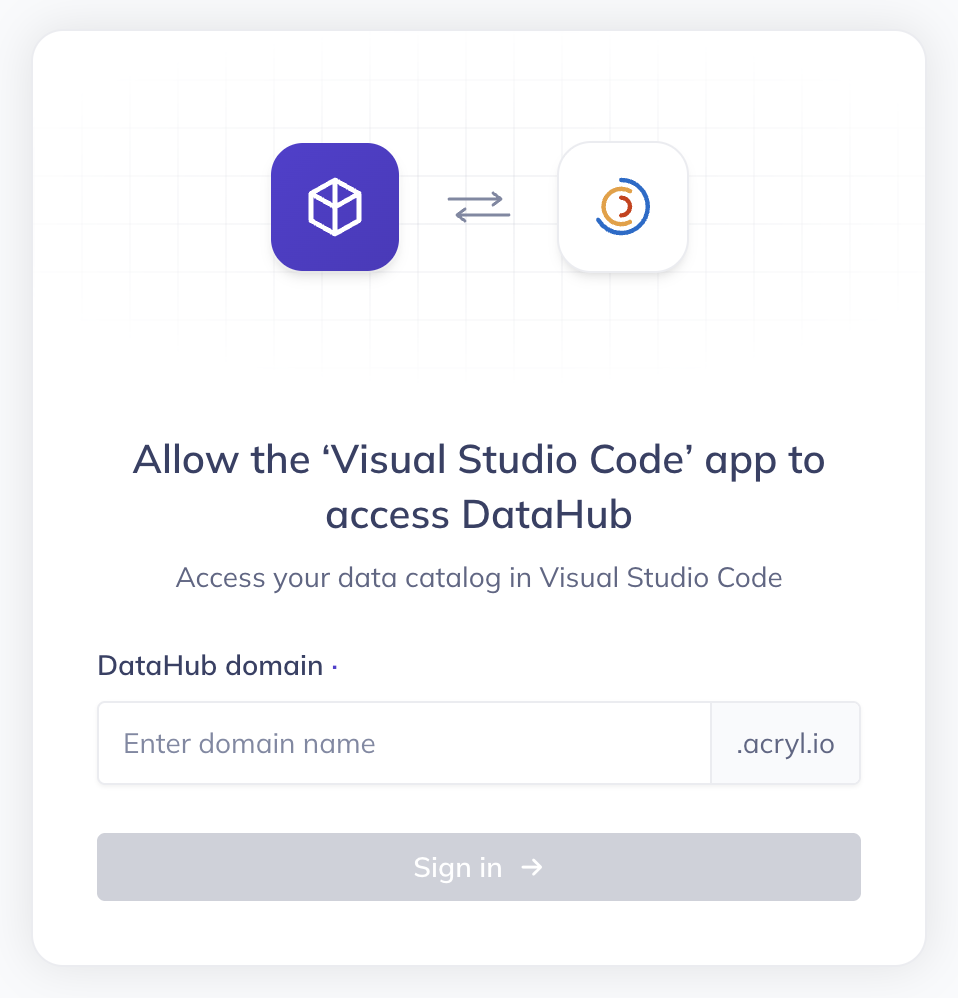
Prefer your tenant URL directly? Use https://<tenant>.acryl.io/mcp as the URL instead.
DataHub Cloud: Personal Access Token
For service accounts or DataHub Cloud versions before v1.0.2, use a personal access token. Add an Authorization header that reads the token from an environment variable, so the token never sits in the file:
{
  "mcpServers": {
    "datahub": {
      "type": "http",
      "url": "https://<tenant>.acryl.io/mcp",
      "headers": {
        "Authorization": "Bearer ${DATAHUB_TOKEN}"
      },
      "tools": ["*"]
    }
  }
}
Set DATAHUB_TOKEN in the environment VS Code starts from, for example your shell profile, then restart VS Code.
Verify
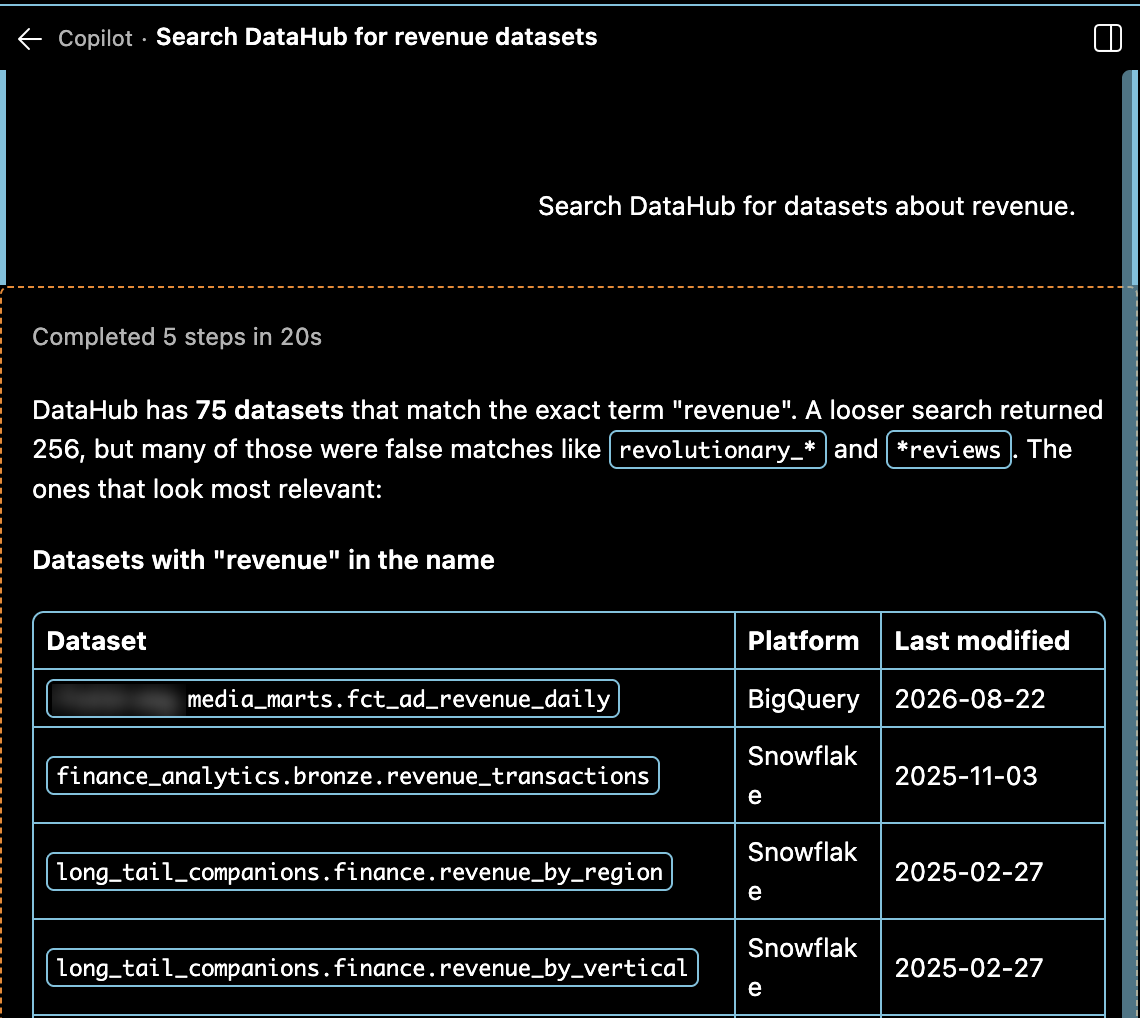
Open Copilot Chat in Agent mode and ask "Search DataHub for datasets about revenue". Allow the DataHub tool when Copilot asks. Expand Completed N steps at the top of the reply to confirm Copilot called a DataHub tool. An answer without a tool call doesn't confirm the connection.
Copilot CLI
Run /mcp add inside the Copilot CLI, set Server Type to HTTP and URL to https://<tenant>.acryl.io/mcp, then press Ctrl+S. Or from a terminal:
copilot mcp add --transport http \
  --header "Authorization: Bearer <token>" \
  datahub https://<tenant>.acryl.io/mcp
The server is saved to ~/.copilot/mcp-config.json and is available straight away. Run /mcp show datahub to check its status and tools.
A server added in VS Code (above) is already available in the CLI.
Copilot Cloud Agent (GitHub.com)
The Copilot cloud agent, which works on issues assigned to Copilot, reads MCP servers from repository settings. It does not support OAuth for remote servers, so it authenticates with a personal access token. Use a token for a DataHub service account with read-only access.
In the repository, go to Settings → Secrets and variables → Agents and add a secret named
COPILOT_MCP_DATAHUB_TOKENwith your token. Only secrets whose names start withCOPILOT_MCP_are passed to MCP servers.Go to Settings → Copilot → MCP servers and paste this into MCP configuration:
{
  "mcpServers": {
    "datahub": {
      "type": "http",
      "url": "https://<tenant>.acryl.io/mcp",
      "headers": {
        "Authorization": "Bearer $COPILOT_MCP_DATAHUB_TOKEN"
      },
      "tools": ["*"]
    }
  }
}
Click Save MCP configuration.
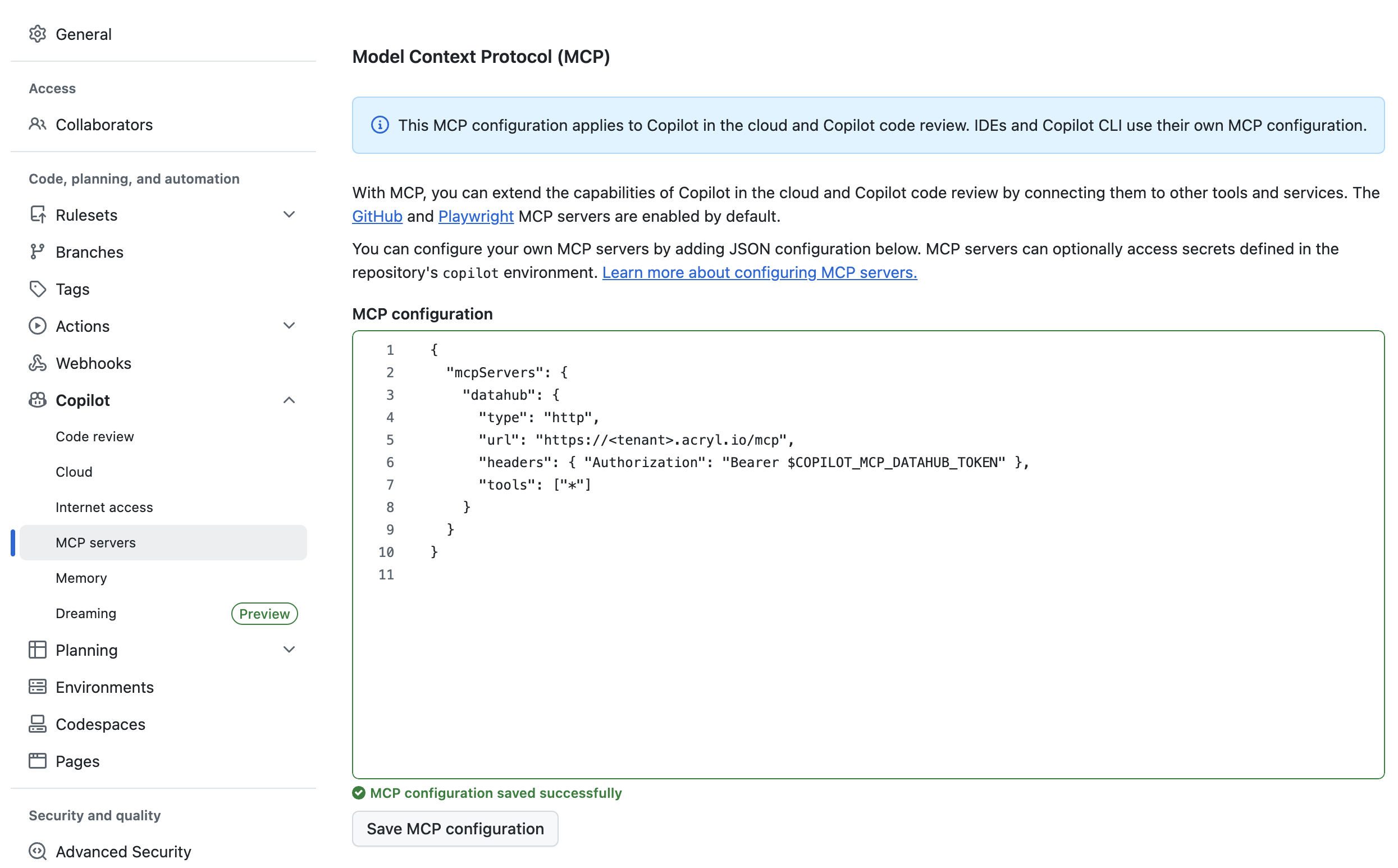
The cloud agent uses these tools without asking for approval. To limit it to reading metadata, replace "*" in tools with the names of the read-only DataHub tools you want it to use.
To confirm it works, assign an issue to Copilot, open the session logs and expand Start MCP Servers. The DataHub tools should be listed.
DataHub Core
Install uv (curl -LsSf https://astral.sh/uv/install.sh | sh), then add a local server to ~/.copilot/mcp-config.json:
{
  "mcpServers": {
    "datahub": {
      "type": "local",
      "command": "uvx",
      "args": ["mcp-server-datahub@latest"],
      "env": {
        "DATAHUB_GMS_URL": "<your-datahub-url>",
        "DATAHUB_GMS_TOKEN": "<your-datahub-token>"
      },
      "tools": ["*"]
    }
  }
}
For the cloud agent, expose the MCP server at a URL GitHub can reach and use the cloud agent setup above with that URL.
DataHub Skills
DataHub Skills teach Copilot DataHub workflows such as search, lineage and enrichment on top of the MCP tools:
npx skills add datahub-project/datahub-skills -a github-copilot
Troubleshooting
- No DataHub tools in Copilot Business or Enterprise? Ask an organization owner to enable the MCP servers in Copilot policy.
- OAuth fails? Confirm the tenant is on DataHub Cloud v1.0.2+ and the URL is
https://mcp.datahub.com/mcpor your tenant MCP URL. - PAT rejected? Check the token hasn't expired and the header value starts with
Bearer. - Cloud agent can't reach DataHub? Check the secret name starts with
COPILOT_MCP_and matches the name inheaders.
For general troubleshooting, see the MCP server guide.
Links: VS Code MCP servers · Copilot CLI MCP servers · Cloud agent MCP servers · Agent Context Kit