Databricks Genie Code
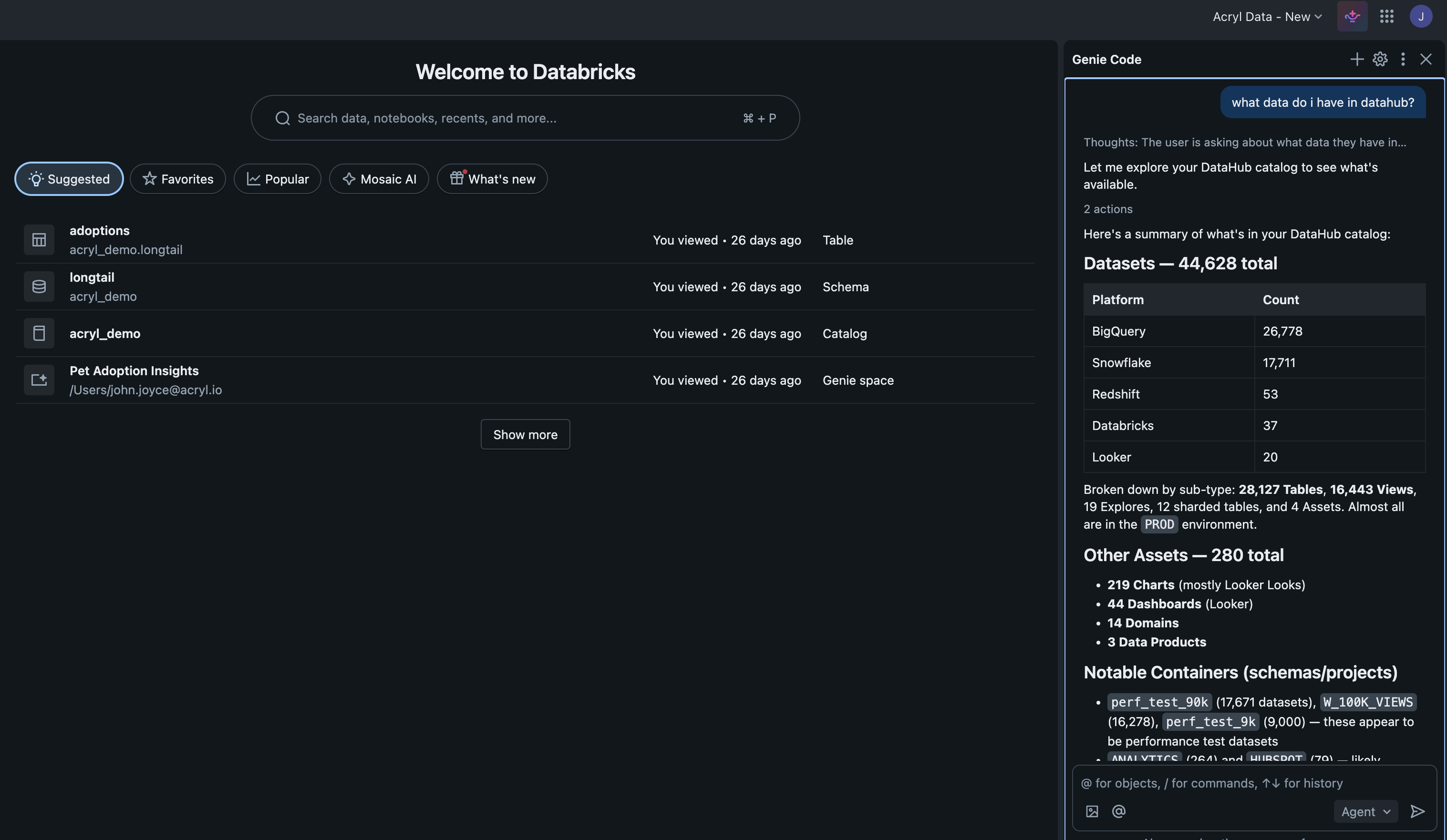
Give Genie Code access to your enterprise data context in DataHub — find trustworthy data, understand lineage, look up ownership, and generate better SQL queries, all without leaving your notebook.
On DataHub Cloud v1.0.2+, you can register https://<tenant>.acryl.io/mcp directly with Databricks as an external MCP tool using OAuth 2.0 — DataHub supports Dynamic Client Registration so Databricks registers itself and stores refresh tokens automatically, eliminating the PAT in the Unity Catalog connection below. Your tenant URL is required here; the global https://mcp.datahub.com/mcp endpoint is not yet supported by Databricks. See the OAuth + DCR section of the MCP guide.
Prerequisites
- A Databricks workspace with the Managed MCP Servers preview enabled
- A DataHub instance with the MCP server enabled
- A DataHub access token (personal access token or service account token)
CREATE CONNECTIONprivilege on your Unity Catalog metastore
Step 1: Register DataHub as an External MCP Server
This creates a Unity Catalog HTTP connection to your DataHub MCP server. You only need to do this once — the same connection is used by Databricks Agent Bricks.
In your Databricks workspace, go to Catalog > Connections > Create connection.
Configure the connection:
- Name:
datahub(or your preferred name) - Connection type: HTTP
- Auth type: Bearer Token
- Bearer token: Your DataHub access token
- Host: Your DataHub MCP server URL:
- DataHub Cloud:
https://<tenant>.acryl.io - Self-hosted:
http://<gms-host>:8080
- DataHub Cloud:
- Base path:
/mcp
- Name:
Click Create connection.
Grant access to users who need it: Go to Catalog > Connections > datahub > Permissions and grant
USE CONNECTIONto the appropriate users or groups.
Once created, the connection shows up under Agents > MCP Servers in your workspace.
Step 2: Add DataHub to Genie Code
Open Genie Code and click the Settings gear icon.
Under MCP Servers, click Add Server.
Select External MCP servers and choose the
datahubconnection you created above.
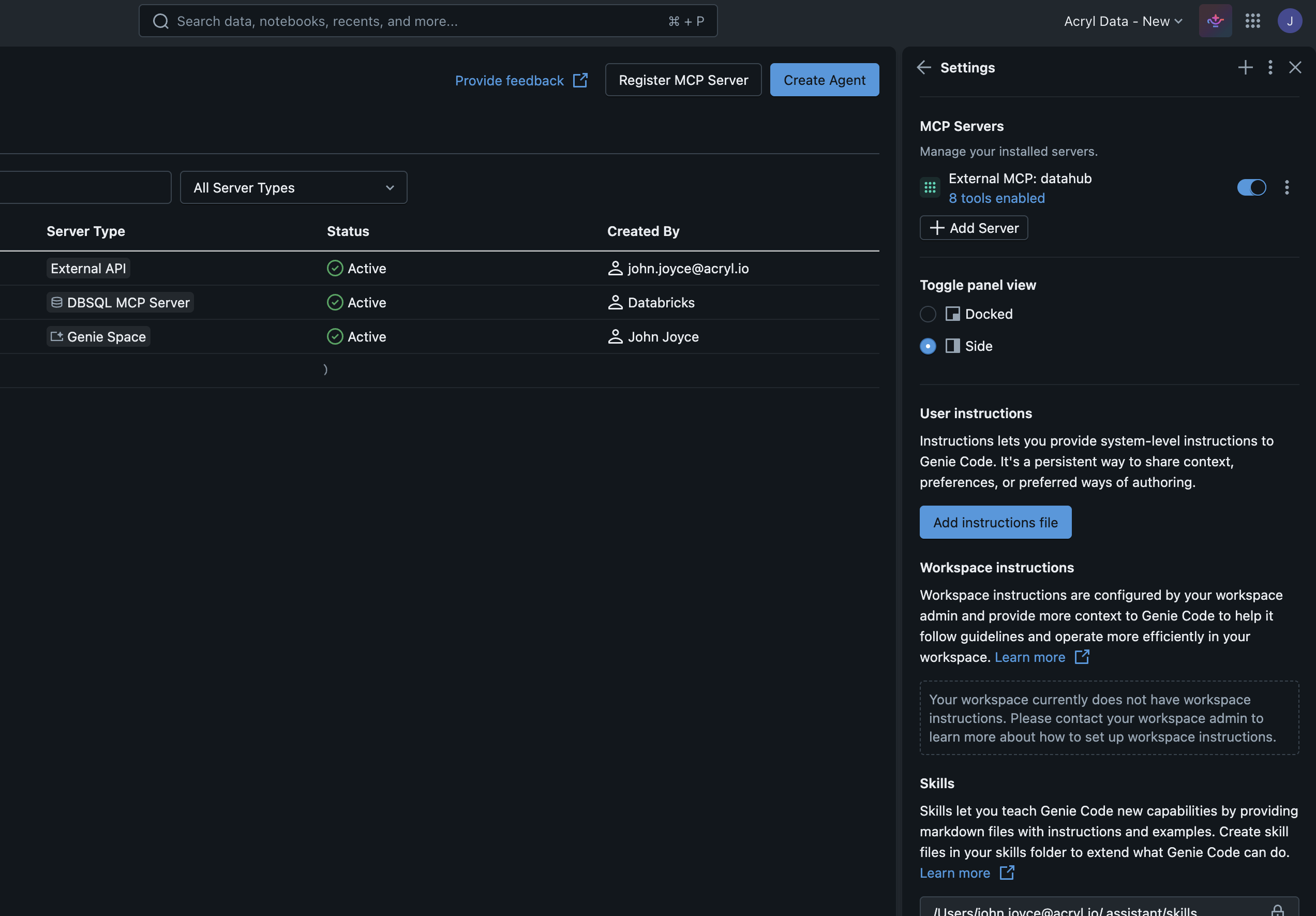
- Click Save.
Try It Out
Switch to Agent mode in Genie Code and try:
Find all datasets related to "customer churn" and show me their owners
Search DataHub for datasets in the Marketing domain, then query the customer_segments
table to show me the top 10 segments by size
Tip: MCP servers require Genie Code Agent mode. There's a limit of 20 tools across all connected MCP servers.
Troubleshooting
- DataHub not showing up? Check the connection under Catalog > Connections, verify the MCP URL and base path, and confirm the bearer token is still valid.
401 Unauthorized? Regenerate the DataHub access token and update the UC connection.- No tools discovered? Make sure DataHub's MCP server is enabled. Genie Code caps at 20 tools across all MCP servers. The base path is
/mcp.
Links: MCP on Databricks · DataHub MCP Server · Agent Context Kit