Reviewing Context Changes
Context review is part of the DataHub Cloud Context add-on and is in Public Beta. Details on this page may change as the feature evolves.
AI agents act on whatever context you give them, so the people who know the data should decide what goes in. In DataHub, anyone can propose a change to context: people on your team, DataHub's AI, your own agents, or Context Generation. The owners of that context review each proposal, can test it against your evals, and approve it before agents see it.
How review works
- Propose. A change is suggested, such as an edit to a context document or a newly generated document.
- Review. The proposal goes to the owners of the context involved (such as the owners of a document, table, or domain) and to admins. Reviewers can edit it, and run your evals against it to see whether it helps.
- Publish. Once approved, the change goes live, and agents start using it.
Changes that go through review include:
- Edits proposed through Ask DataHub, your own agents, or by people who can't edit a document directly
- Generated context documents, when you require approval for them
- Generated evals, which an admin reviews before they're added to your suite
- Suggested table and column descriptions
People with edit rights, such as a document's owners, can change context directly, without a proposal.
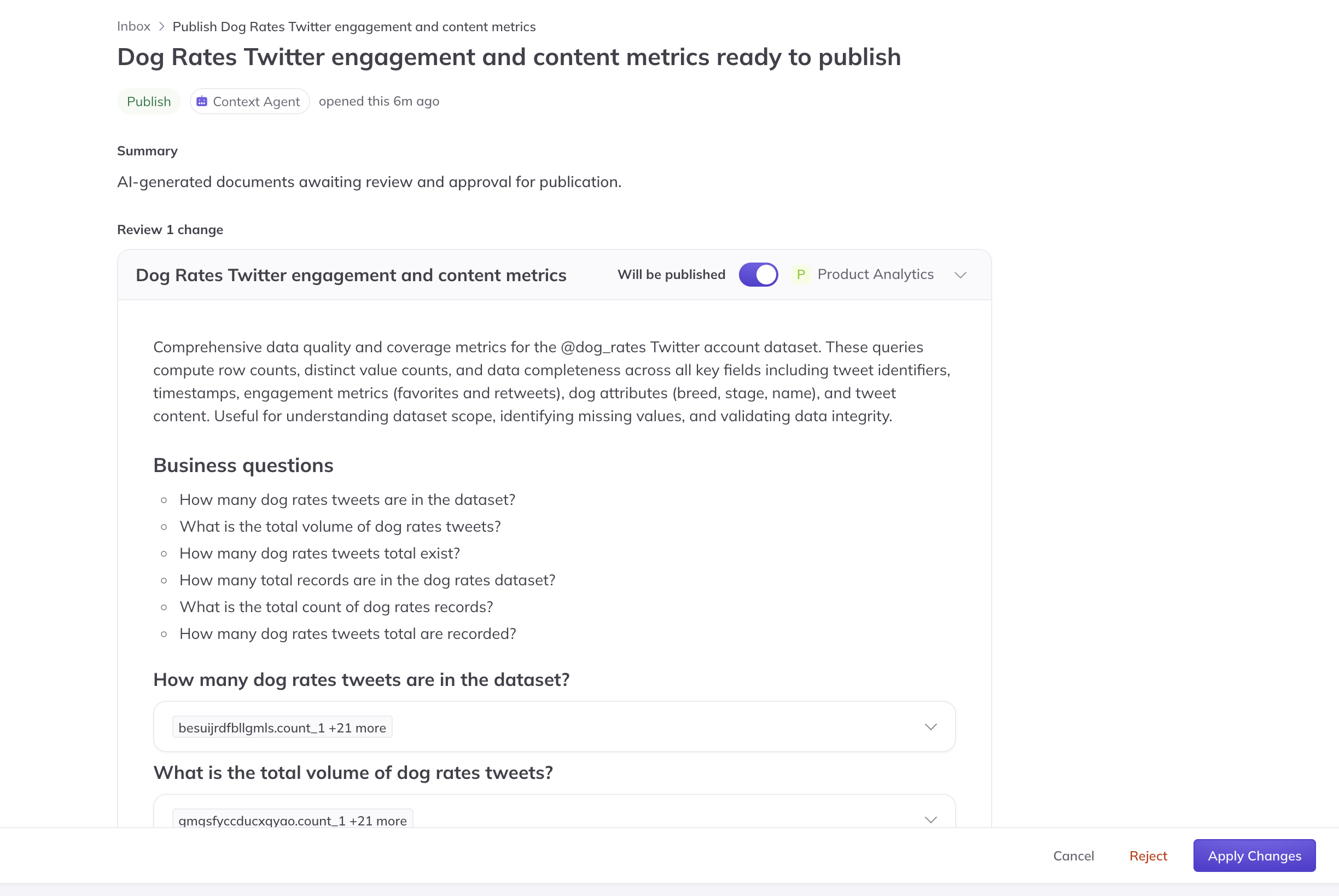
Screenshot: reviewing a proposed change to context.
Proposing changes
Anyone can propose a change. In DataHub, people who can't edit a document can suggest changes to it directly. In chat, they can ask Ask DataHub or their own agent to propose an edit, such as "update the churn definition to 60 days." This also works in Slack and Teams.
Reviewing proposals
Proposals assigned to you appear under Tasks > Proposals. Open one to see what's changing, edit it if needed, and run the relevant evals against it. DataHub answers each eval as if the change were already published, so you can see whether it fixes or breaks anything. Then approve or reject it.
For generated documents, you choose where review is required. Most teams publish generated documents automatically and verify them with evals, and require approval only for sensitive domains. See Context Generation.
API access
You can also manage proposals programmatically with the DataHub GraphQL API, including listing, approving, and rejecting them.
FAQ
Who can approve a proposal? The owners of the context involved, and admins.
Can a rejected proposal be recovered? A rejected proposal is closed without changing anything. To try again, propose the change again.