Certification
Certification is part of the DataHub Cloud Context add-on.
Most organizations have several tables, dashboards, and documents that look like the answer to a question, and only one that is. Certification lets the people who know the data say which one to trust. Certify an asset or document, and DataHub marks it everywhere it appears, records who vouched for it and why, and passes that signal to AI agents, so they build answers on trusted sources and say when they couldn't.
How certification works
- Someone with the Certify privilege certifies an asset or document, optionally with a note explaining why.
- DataHub shows a certified seal next to its name: on its page, in search results, in lineage, and wherever it's mentioned. Hovering over the seal shows who certified it, when, and their note.
- AI agents see which sources are certified, and build their answers on them first. Ask DataHub also tells users when an answer relies on context nobody has certified, and you can give your own agents instructions to do the same.
You can certify:
| Category | What you can certify |
|---|---|
| Data assets | Datasets, dashboards, charts, data pipelines, data tasks, and containers |
| Semantic layer | Metrics and semantic models |
| Context | Context documents, including generated documents |
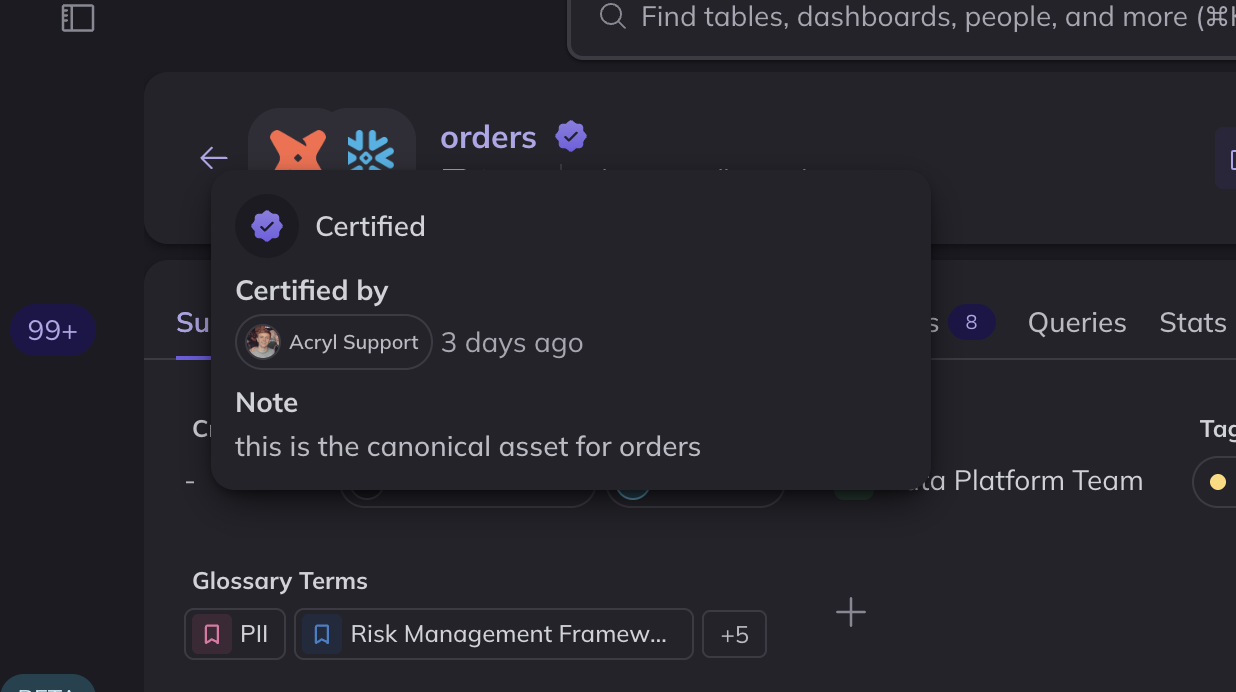
Screenshot: the certified seal on a dataset, with its hover card showing who certified it, when, and why.
Who can certify
To certify an asset or document, or to remove its certification, you need the Certify privilege on that asset or document.
- Admins and Editors can certify any asset by default.
- Anyone else, including an asset's owners, needs an admin to grant them Certify in a policy. A policy can grant it for all assets, or only for some, such as the assets in one domain, so the people responsible for an area certify what belongs to it.
Permission to edit an asset doesn't include permission to certify it. This keeps certification a deliberate decision, made by the people your organization trusts to make it. A certification is always recorded under the name of the person who made it.
Certifying assets and documents
- From an asset's page, click the certify icon in the header, or choose Certify from the ⋮ menu. Add a note, and click Certify.
- From a document, click the certify icon at the top right of the page.
- In bulk, open Context > Certification and click Certify Assets, then search for and select the assets to certify.
Use the note to say what the asset is trusted for, such as "Source of truth for booked revenue. Excludes test accounts." People and agents read it to decide whether the asset fits their question.
To remove a certification, click the certify icon again, or choose Remove certification. A certification can't be edited. To change its note, remove it and certify the asset again.
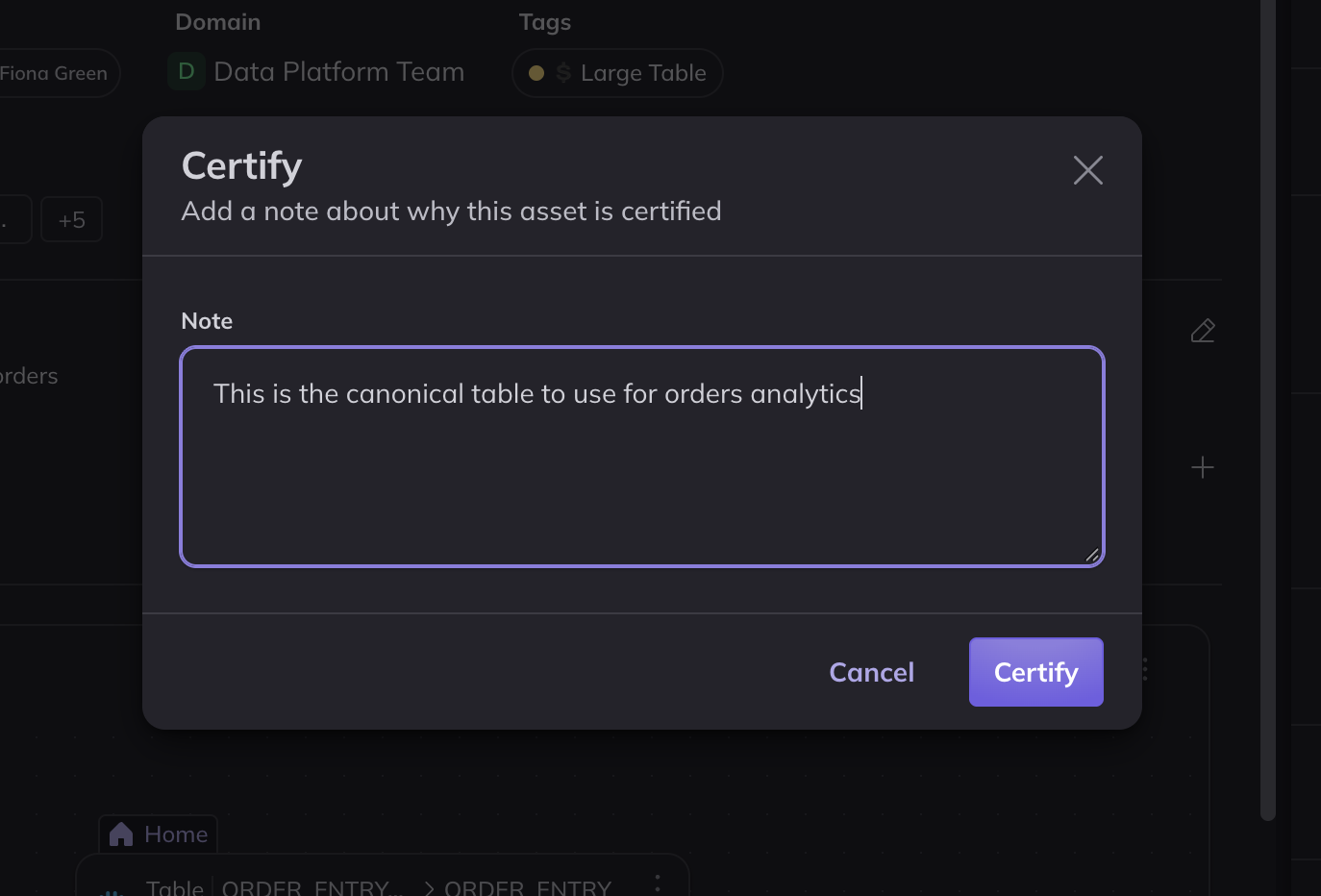
Screenshot: certifying a dataset from its page, with a note.
Managing certified assets
Context > Certification lists everything your organization has certified, with who certified each item, when, and how. Filter by type or source, search by name, and remove certifications one at a time or in bulk.
You can also find certified assets anywhere you search: filter by Certification, or add Certification as a condition to a View.
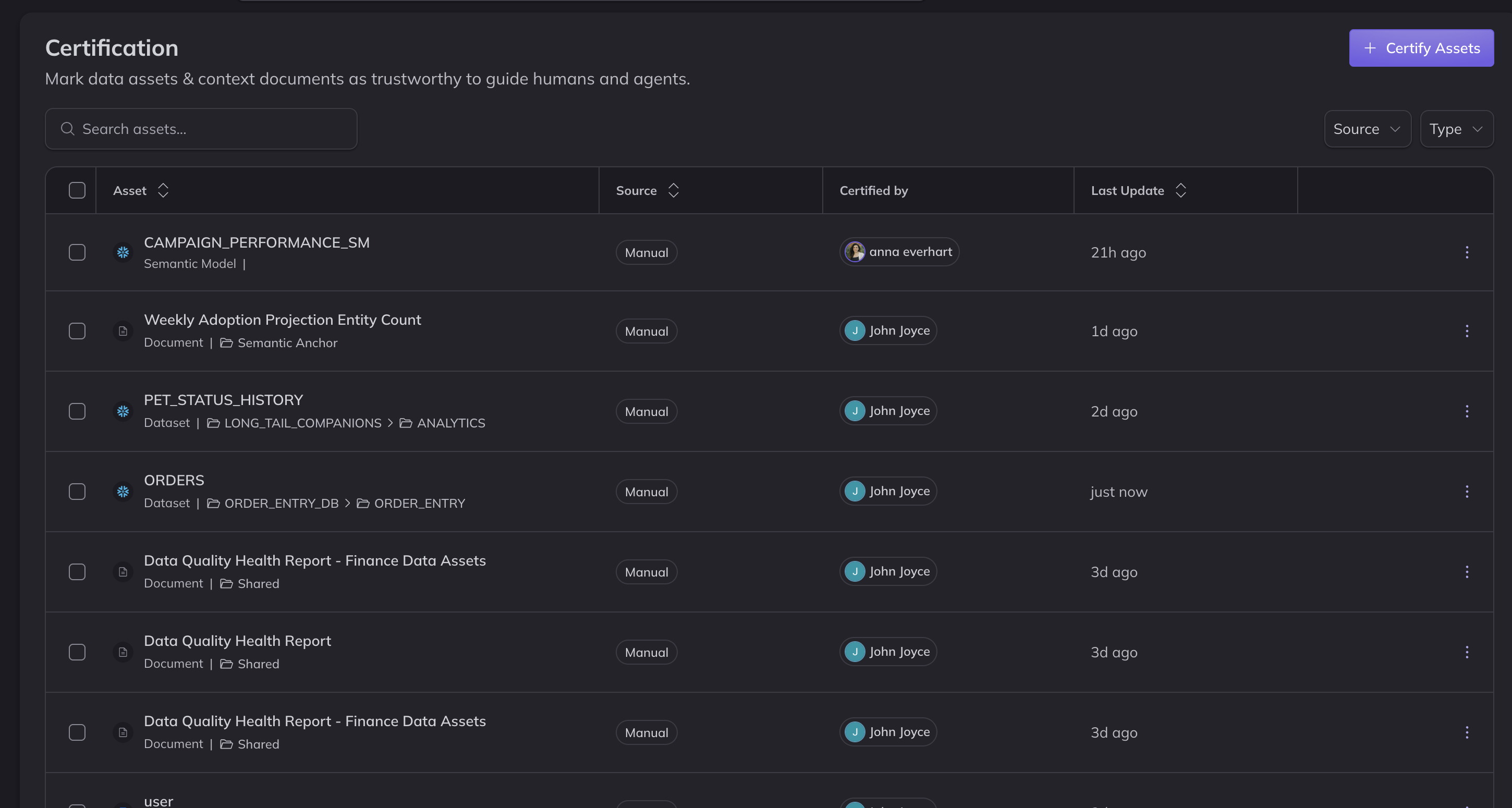
Screenshot: the Certification page, listing certified assets.
How AI agents use certification
When DataHub returns assets and documents to an agent, it tells the agent which ones are certified, and the agent builds its answers on certified sources first. Ask DataHub also tells users when an answer relies on context nobody has certified. Agents connected through DataHub's MCP server receive the same information, but whether they tell users depends on their own instructions. See Using certification in agent responses.
This helps agents in the situations where trust matters most:
- Text-to-SQL: when several tables could answer a question, the agent builds its query on the certified one, and Ask DataHub tells the user when no certified source covers the question.
- Data discovery: when someone asks where to find data, the agent points them to the certified asset first, rather than the copy that happens to match their wording.
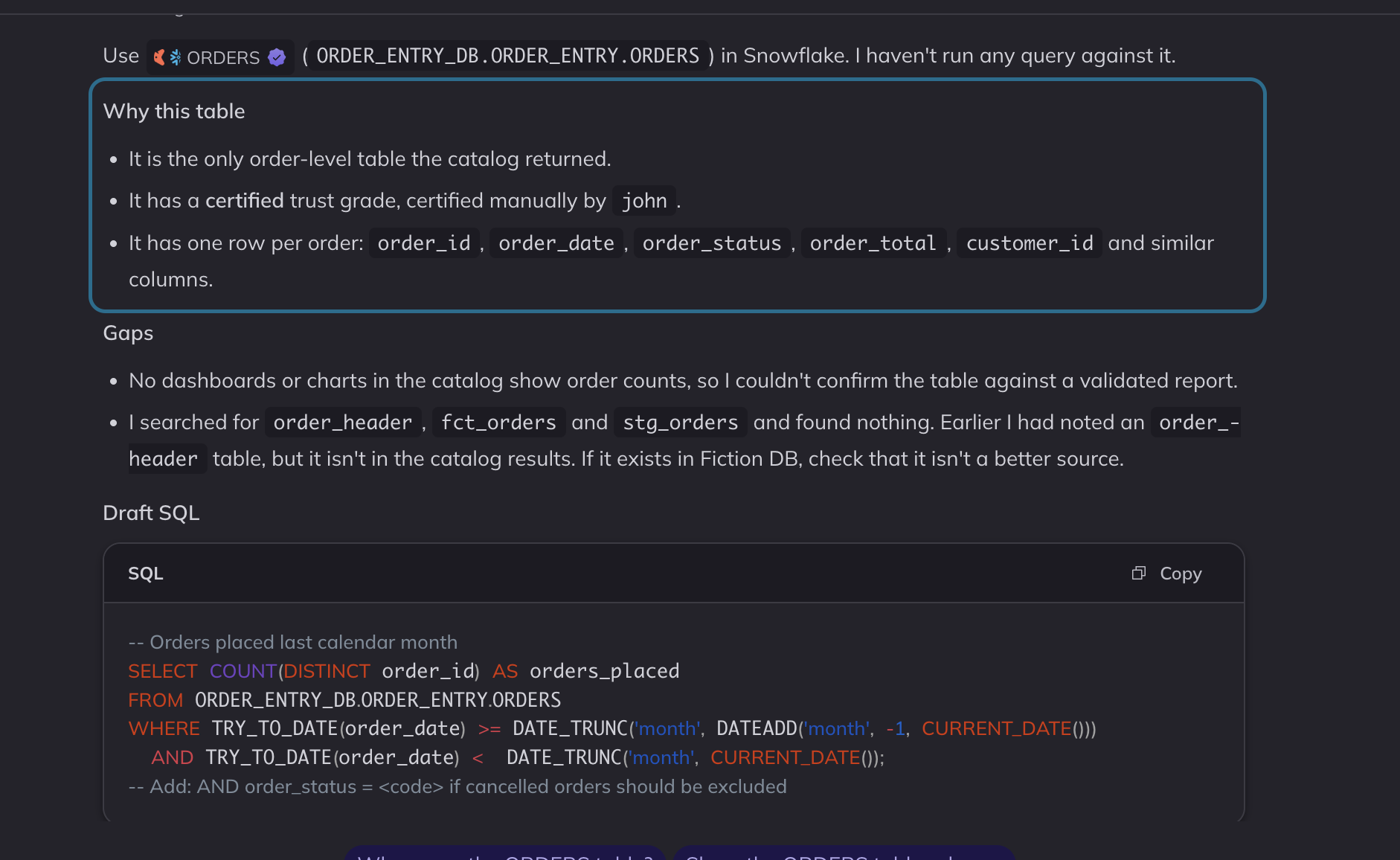
Screenshot: Ask DataHub answering from a certified table, and saying that it's certified.
Using certification in agent responses
Ask DataHub uses certification out of the box. Agents connected through DataHub's MCP server see which sources are certified, but how they explain it to users depends on their own instructions. To control exactly how your agent explains certification in its answers, for example to always tell users whether an answer can be shared, add instructions that say how to interpret certification. Add them to a custom agent's instructions, or to a skill your own agent uses.
For example:
## Qualifying responses through certification

Each context document and data asset used in this flow is either certified or
not. Certified assets are those that data team admins have explicitly identified
as trustworthy.

## Explaining unverified sources in answers

When a response depends on sources that DataHub inferred automatically, rather
than ones a person wrote, curated, or certified, qualify the response clearly,
and say that it should be reviewed before it is fully trusted or shared
publicly.

## Explaining certified sources in answers

When a response depends only on certified context documents and data assets,
say that only certified sources were used to generate the answer, to help build
trust with the users who rely on your answers.
API access
You can also certify and remove certifications programmatically with the DataHub GraphQL API, using the updateCertification and batchUpdateCertification mutations.
FAQ
I don't see the certify icon or the Certification page. You need the Certify privilege. The Certification page also requires the privilege across all assets; if you can certify only some assets, such as those in one domain, certify them from their pages.
Does a certification expire? No. It stays until someone removes it.
Does certifying change who can access an asset? No. Certification is a trust signal, not an access control.
What happens to a certification when an asset changes? Nothing. The certification stays in place, so review your certified assets when their definitions change.