Step 1: Define Evals
This step uses features from the DataHub Cloud Context add-on, currently in Public Beta.
Before you add any context, decide what "good" looks like. Evals give you a fixed standard, so every change you make afterward can be measured against it.
An eval is a real business question paired with the right answer. DataHub asks an agent the question, then an AI judge compares the agent's SQL with yours. The judge checks for the same tables, joins, filters, and aggregation, and ignores differences in formatting.
You don't need your own agent yet. Until you connect one in step 4, a built-in DataHub agent answers your evals using the context in DataHub. What you're measuring is the quality of your context, which is exactly what steps 2 and 3 improve.
1. Collect real questions
Ask the domain's business stakeholders which questions matter most, and gather the ones people actually ask. Good sources include:
- The team's Slack channel
- Your analytics request queue
- The dashboards people ask about most, rephrased as questions
- Questions that have led to incidents or corrections
Aim for 20 to 50 questions. That's enough to reveal a trend, and few enough that someone can review every failure.
2. Write the expected answers
For each question, go to Validation > Evals, click Create Question, and complete the form. Evals created here measure your context through Ask DataHub. If you later create a custom agent, you'll add its evals on the agent's own Evals tab.
| Field | What to enter |
|---|---|
| Type | SQL Generation for analytics questions, or Basic for questions about where data lives, who owns it, or what it means |
| Expected answer | The SQL an expert would write. If there are several valid approaches, add each with Add another answer. |
| Must reference assets | The tables or metrics a correct answer uses |
| Must not reference assets | Deprecated or look-alike tables that are easy to confuse with the right ones |
| Domain | The domain you're building for |
Then click Check for problems. DataHub flags issues such as a table that doesn't exist, or one that no document mentions yet. The second kind is an early view of where your agent will struggle.
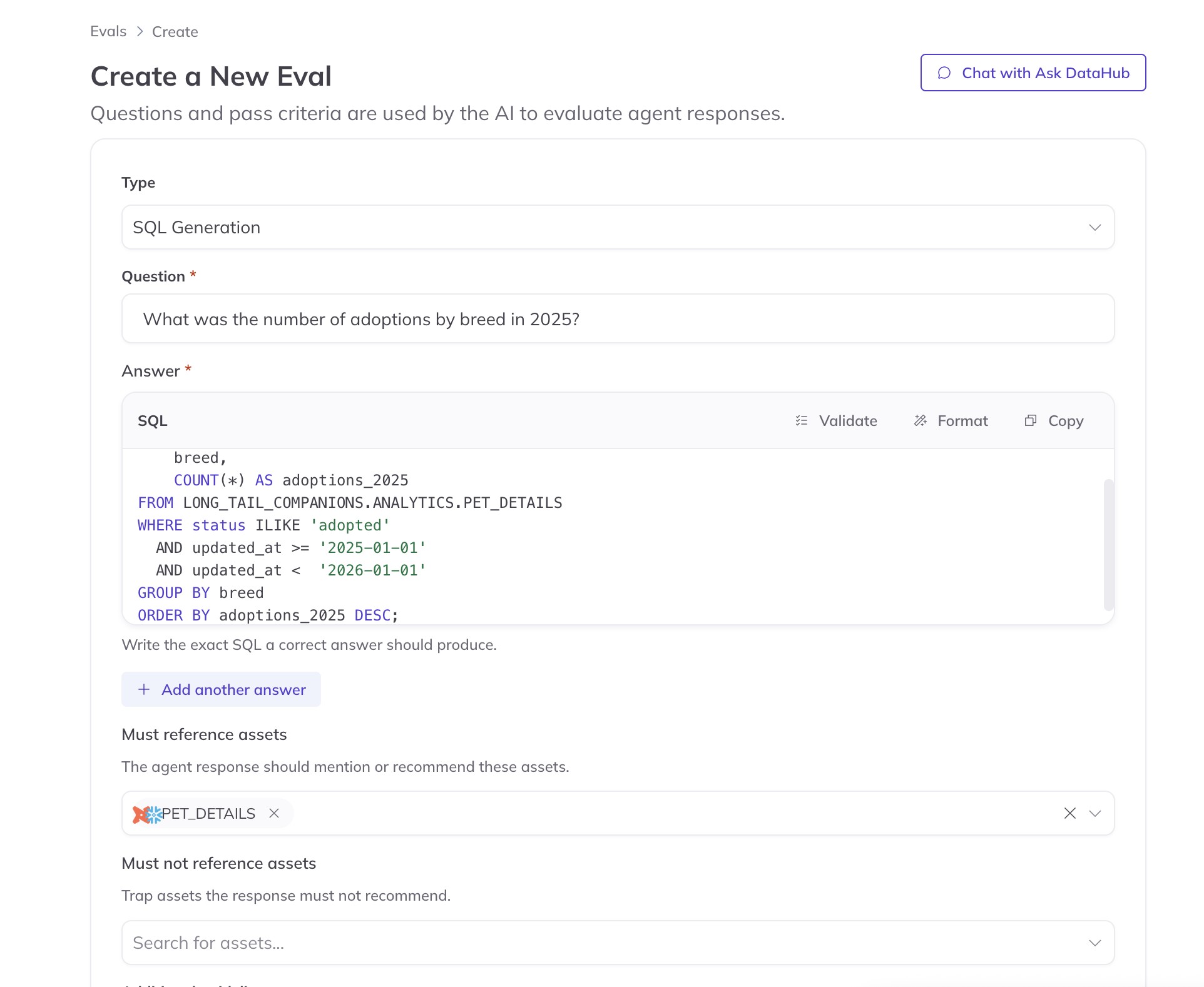
Screenshot: creating an eval.
Have your data expert write or review the expected answers. The judge compares every response to them, so they set the standard for everything that follows.
- Include traps. If two tables are easy to confuse, list the wrong one under Must not reference assets.
- Allow every valid answer. If three tables are all correct, add each as an alternative answer rather than requiring one.
- Test refusals. Add a question from outside the domain, with the guideline "The response should say this is outside its scope."
3. Run a baseline
Click Run all DataHub evals and note the pass rate.
Expect it to be low. This is your starting line. Open a few failures: each shows the agent's SQL next to yours, along with the documents and tables it found. Missing context is almost always the cause, and the next two steps address it.
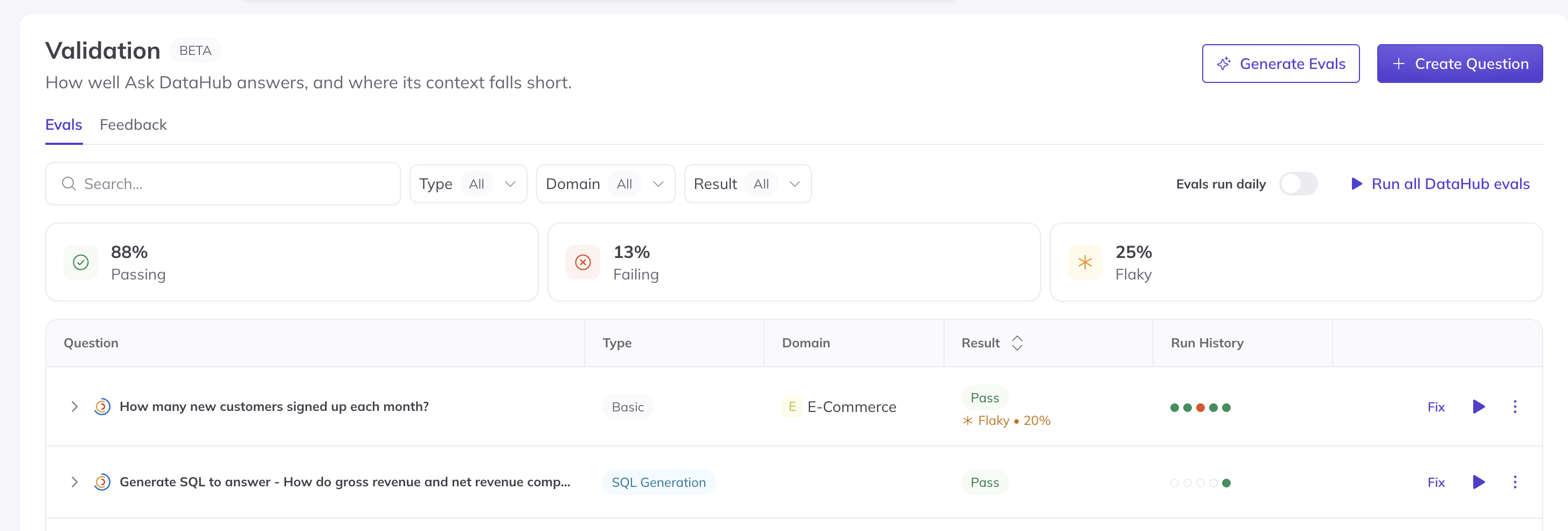
Screenshot: the Evals page after a baseline run.
4. Turn on daily runs
Turn on Evals run daily. From now on, if a change breaks an answer, you'll know by the next morning. Each eval run consumes AI Credits, so daily runs are a steady, predictable use of your credits.
Agree with your data expert and stakeholders on the pass rate the agent must reach before broader rollout, such as 85%. It turns "is it ready?" into a clear, shared decision.
If your agent runs outside DataHub
Set an eval's Eval Runner to External, and your own test harness can report your agent's answers to DataHub for grading. You can also keep evals in YAML and run them in CI with the evals CLI. See option c.
Check your work
- You have 20 to 50 evals, written or reviewed by a data expert.
- You have a baseline pass rate, and you understand the main reasons for failure.
- Daily runs are turned on.
Next: Step 2: Ingest context