Import from Confluence
Feature Availability
DataHub Core (OSS)
DataHub Cloud
Overview
Bring Confluence spaces and pages into DataHub as Context Documents for browsing, search, and AI assistants.
By default, imports are Native (editable in DataHub). Switch Document import mode to External for read-only documents linked to Confluence. Sync-back to Confluence is not supported.
Prerequisites
- Confluence Cloud or Data Center API access (site URL plus username/API token or personal access token)
- Permission to manage Data Sources / ingestion in DataHub
Set Up Import
- Open Documents → Import → Confluence.
- Configure site URL, credentials, spaces or pages to include, and Document import mode (Native or External).
- Save and run (or schedule) the source.
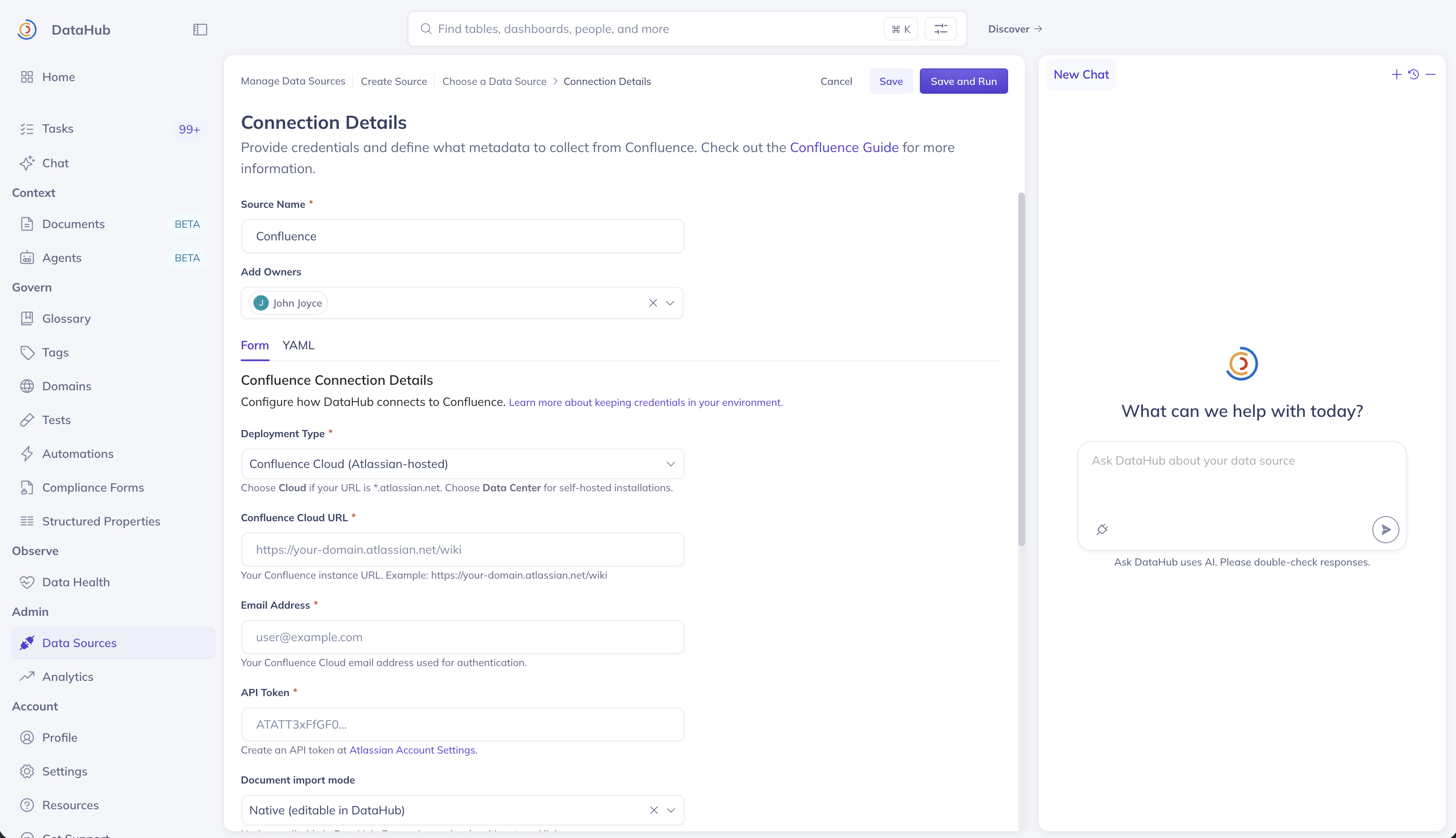
Screenshot: Confluence import / data source configuration.
View Run History
Open Data Sources (Ingestion) to view runs, schedules, and failures for the Confluence source.
Next steps
- Full connector reference: Confluence source
- Back to Context Documents
Is this page helpful?