Relating Glossary Terms
Ontology is currently in Private Beta. Features, UI, and configuration options are subject to change.
Relationships are what turn a glossary into an ontology. This page covers how to create them in the UI and through the API.
Prerequisites
- The terms you want to connect must already exist. See Business Glossary for creating terms and term groups.
- To edit relationships on a term you need the Manage Glossaries platform privilege, or Edit Entity on the specific term.
Choosing the right relationship
The relationship type is what traversal, propagation, and AI tools act on, so it is worth picking the right one:
| If you want to say… | Use | Direction |
|---|---|---|
| B is a more specific kind of A | Inherits (Is A) | Directed |
| A is made up of B (B is a part or attribute of A) | Contains (Has A) | Directed |
| A and B mean the same thing | Synonym | Undirected |
| A and B mean opposite things | Antonym | Undirected |
| B is A expressed in another language or dialect | Translates to | Directed |
| B is one of the allowed values of A | Valid value | Directed |
| A and B are connected, but none of the above fits | Related to | Undirected |
A directed relationship reads differently in each direction, so it also has a reverse label: Inherits reads back as Inherited by, Contains as Contained by, Translates to as Translated from, and Valid value as Valid value for. An undirected relationship reads the same both ways, and only needs to be created once.
Use Related to only when nothing else fits. It records that two terms are connected but not how, so there is nothing for a traversal to act on. If you find yourself using it a lot, you probably want a custom relationship type.
Adding a relationship in the UI
- Open the glossary term you want to relate.
- Go to the Related Terms tab.
- Click + Add Terms.
- Pick the relationship type, then search for and select one or more terms.
- Click Add.
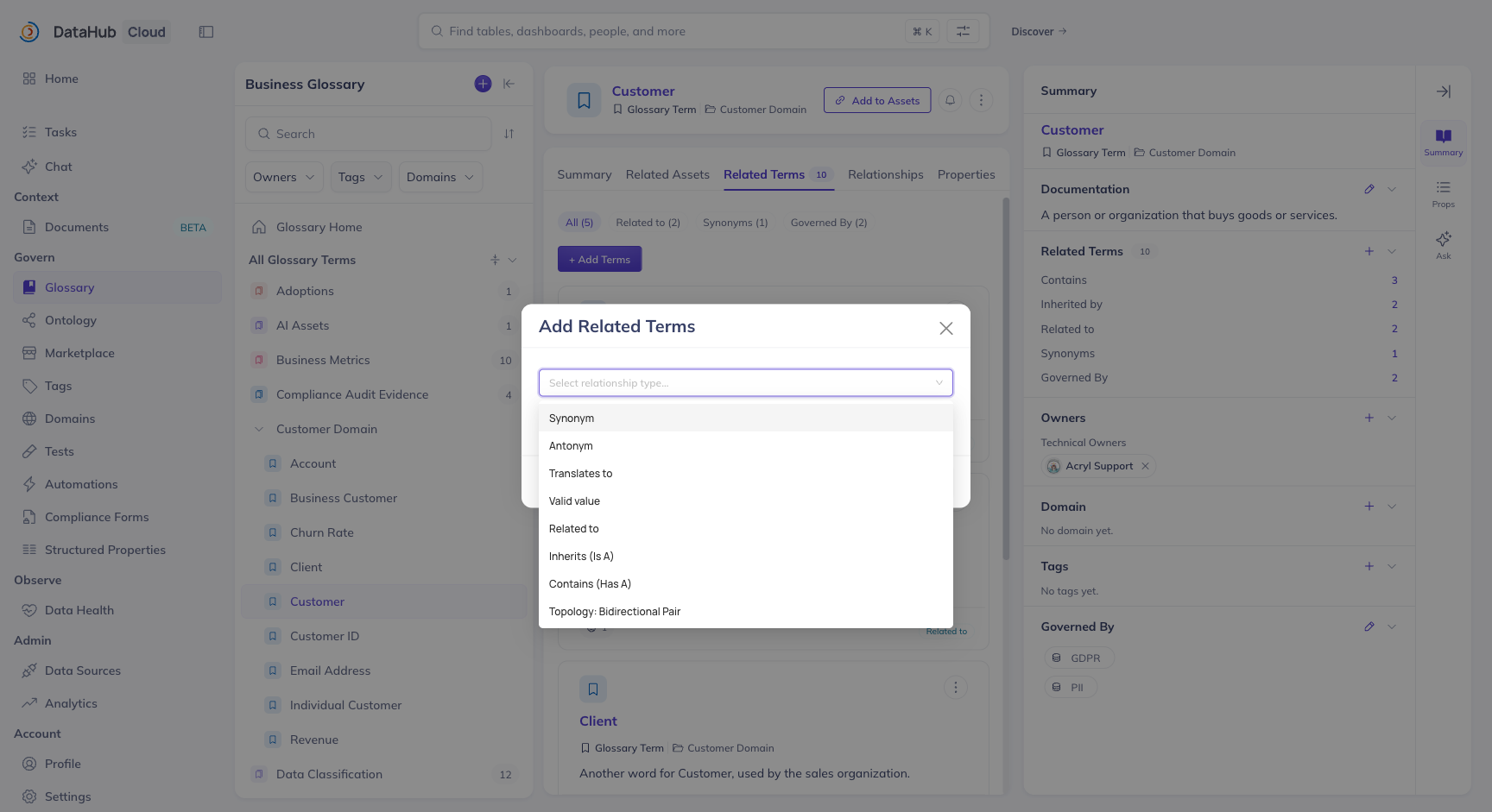
The relationship-type picker lists the built-in types, plus any custom relationship types defined on your instance:
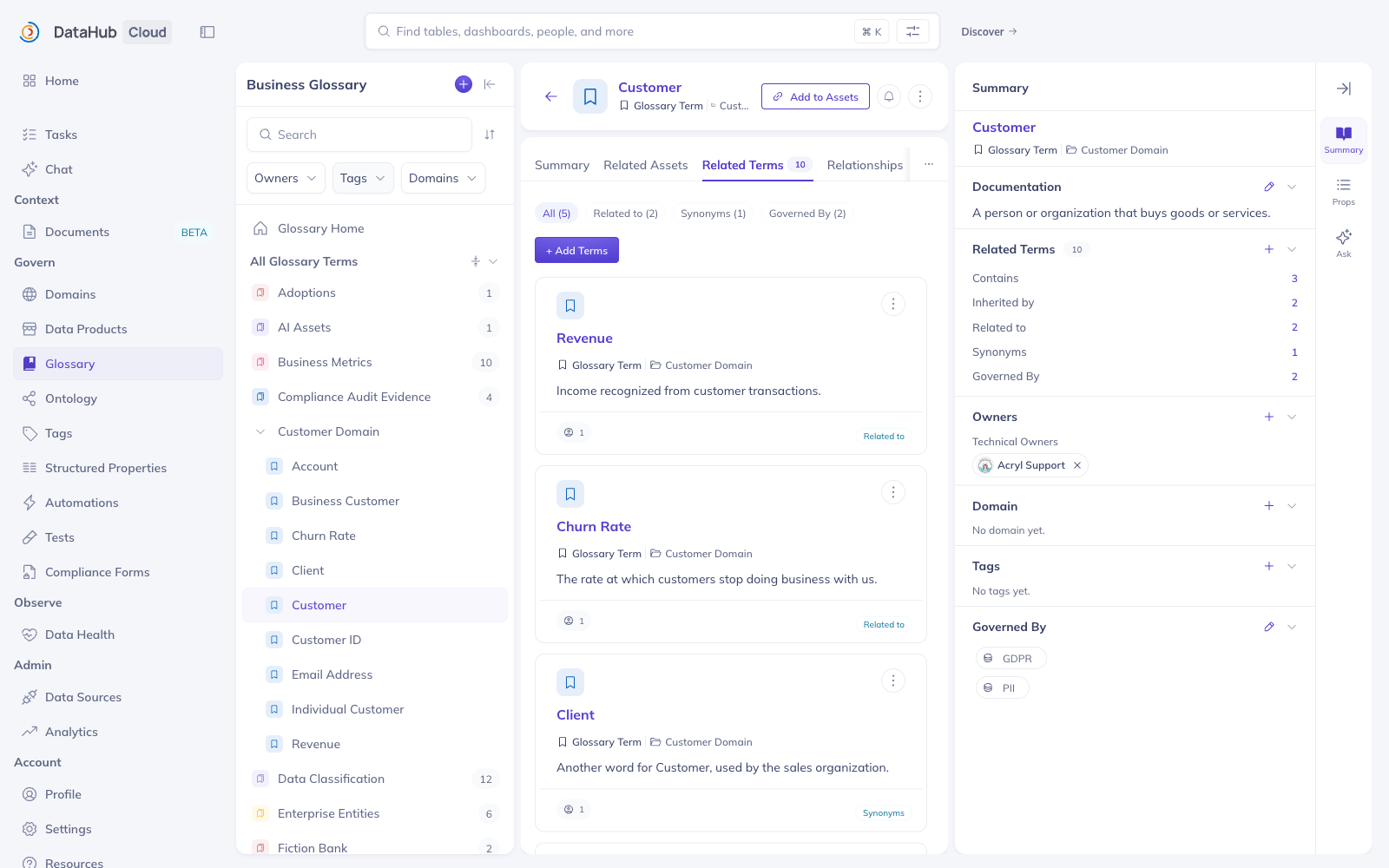
The tab groups relationships by type, with a filter chip per type showing how many of each the term has — including any custom relationship types defined on your instance.
The relationship is written from the term you are on. For a directed relationship, that term is the source: adding Inherits → Customer from the Individual Customer page records "Individual Customer inherits Customer", and Customer's page will show Individual Customer under Inherited by.
Symmetric relationships (Synonym, Antonym, Related to) read the same from either side, so you only need to create them once, from whichever term is convenient.
To remove a relationship, hover the related term in the Related Terms tab and use the remove action. Removing from either side deletes the edge.
Adding relationships via the API
The addRelatedTerms GraphQL mutation adds one or more terms to a relationship on a source term:
mutation {
  addRelatedTerms(
    input: {
      urn: "urn:li:glossaryTerm:individualCustomer"
      termUrns: ["urn:li:glossaryTerm:customer"]
      relationshipType: isA
    }
  )
}
The relationshipType values are:
| Value | Relationship |
|---|---|
isA | Inherits |
hasA | Contains |
synonymOf | Synonym of |
antonymOf | Antonym of |
translatesTo | Translates to |
hasValue | Valid value |
isRelatedTo | Related to |
Use removeRelatedTerms with the same input shape to delete relationships.
Bulk-loading relationships
For anything beyond a handful of edges, load relationships as metadata rather than clicking through
the UI. The glossaryRelatedTerms aspect holds all of a term's outgoing relationships, so a single
write per term is enough:
from datahub.emitter.mce_builder import make_term_urn
from datahub.emitter.mcp import MetadataChangeProposalWrapper
from datahub.ingestion.graph.client import DatahubClientConfig, DataHubGraph
from datahub.metadata.schema_classes import GlossaryRelatedTermsClass

graph = DataHubGraph(DatahubClientConfig(server="http://localhost:8080"))

graph.emit(
    MetadataChangeProposalWrapper(
        entityUrn=make_term_urn("individualCustomer"),
        aspect=GlossaryRelatedTermsClass(
            isRelatedTerms=[make_term_urn("customer")],  # Inherits
            hasRelatedTerms=[make_term_urn("customerId")],  # Contains
            synonymOf=[make_term_urn("retailCustomer")],
        ),
    )
)
Writing the glossaryRelatedTerms aspect replaces the term's existing relationships. Read the
current aspect and merge if you are adding to a term that already has relationships.
You can also express inherits and contains relationships directly in a
Business Glossary ingestion file, which
is the cleanest option when the glossary itself is version-controlled.
What happens next
Every relationship you add materializes as an edge in DataHub's metadata graph. From there it is:
- Drawn in the ontology graph — see Visualizing Your Ontology.
- Walkable from the API and from AI agents — see Querying Your Ontology.