b. Connect Your Agent to a DataHub Agent
Agents and scoped MCP servers are part of the DataHub Cloud Context add-on, currently in Public Beta.
Your agent, such as Claude, ChatGPT, Copilot, CrewAI, or a LangChain app, gets a single tool for asking DataHub. It hands each data question to Ask DataHub or a custom DataHub agent, which finds the data, runs the SQL, and returns the answer.
Choose this option if you already have an agent and want DataHub to handle data questions. This is our recommended option for teams with their own agent: the instructions, domain scope, and evals your data team maintains in DataHub apply to every answer, and your agent stays simple.
What you'll set up: a warehouse plugin, an MCP server that exposes only your DataHub agent, and a connection from your agent. There are no skills to install: Ask DataHub and custom agents include them.
If you need your agent to do all the reasoning itself, see option c.
1. Let DataHub run SQL
Connect your warehouse as an AI plugin, as described in step 1 of option a. The DataHub agent uses it to run the SQL it writes.
2. Choose a DataHub agent
- Ask DataHub, for a global agent that searches everything the person asking can see. There's nothing to create.
- A custom agent, limited to one domain, with its own plugins and instructions. Package your domain, then create the agent as described in step 3 of option a. Write its Description with care: your agent reads it to decide when to call DataHub.
3. Create an MCP server for the agent
This step is required. The main DataHub MCP server doesn't expose agents, so each DataHub agent needs a server of its own.
- Go to Settings > AI > MCP Servers and click Create.
- Enter a name and a short URL slug, such as
finance. - Under Tools, select Ask DataHub or your custom agent, and nothing else. Every question then goes through the DataHub agent.
- Save, and copy the Connection URL, such as
https://<tenant>.acryl.io/mcp/finance.
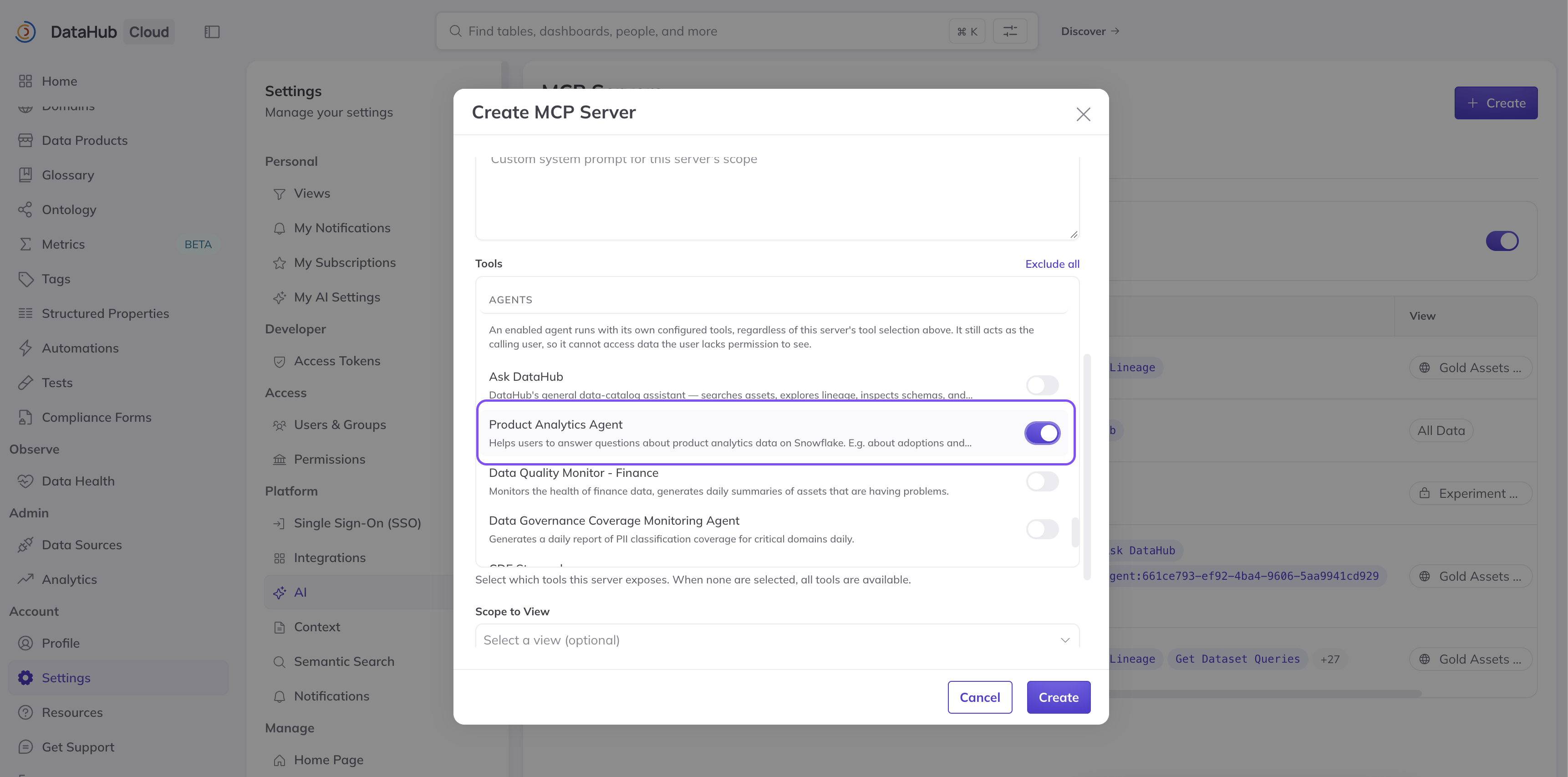
Screenshot: selecting an agent under Tools when creating an MCP server.
Your agent sees a single tool, such as ask_agent__ask_datahub or ask_agent__finance-analyst.
4. Connect your agent
Add the Connection URL to your agent. See Connect your agent for Claude, ChatGPT, Copilot Studio, LangChain, and other platforms, and Decide how people sign in.
Then ask your agent a data question. It should call the DataHub tool and return an answer with its sources.
Check your work
- Your evals show a pass rate you're comfortable sharing. For a custom agent, check its Evals tab.
- A question from outside the domain gets a clear "I can't answer that," not a guess.
- A small group of users has tried it for a week, including with difficult questions.